Professional product photography has always been one of the most expensive and time-consuming parts of running a fashion e-commerce business. A single photoshoot session typically involves renting a studio ($200-500/day), hiring a photographer ($300-1,000/day), booking models ($150-500/day per model), and paying for styling, post-production, and retouching. For a small collection of 20-30 products, you're looking at $2,000-5,000 minimum.
For small brands and independent sellers, these costs are prohibitive. The result? Many businesses launch with flat-lay photos taken on a phone, missing the on-model imagery that drives conversions. Studies consistently show that products displayed on models generate 30-50% higher conversion rates than flat-lay or ghost mannequin shots alone.
AI has fundamentally changed this equation. In 2026, you can create professional, studio-quality on-model product photos from a simple garment image — no studio, no photographer, no model required. Here's exactly how to do it, step by step.
Step 1: Prepare Your Garment Images
The quality of your AI-generated photos depends heavily on the quality of your input images. Think of it this way: a well-prepped input image produces great results on the first try, while a poor one leads to regeneration cycles that waste time and credits. Here's how to prepare them:
For Flat-Lay Shots
- Use a clean, white or light background — a large sheet of paper or fabric works
- Smooth out all wrinkles and creases (this is the #1 quality factor)
- Ensure even, diffused lighting — avoid harsh shadows from overhead lights
- Shoot from directly above at a 90-degree angle
- Include the entire garment with 2-3 inches of margin around the edges
- Make sure key details are visible: prints, logos, buttons, zippers, and unique design elements
For Ghost Mannequin Shots
- Dress the mannequin neatly with proper sizing — the garment should fit naturally, not stretched or bunched
- Light evenly from both sides to minimize shadows
- Remove the mannequin in post or use an invisible/hollow mannequin
- Front-facing with a slight natural angle works best for the AI
💡 Pro tip: Ghost mannequin inputs often produce slightly better results than flat-lays because they show the garment's 3D form. If you have both, try the ghost mannequin shot first.
Step 2: Generate On-Model Photos with AI
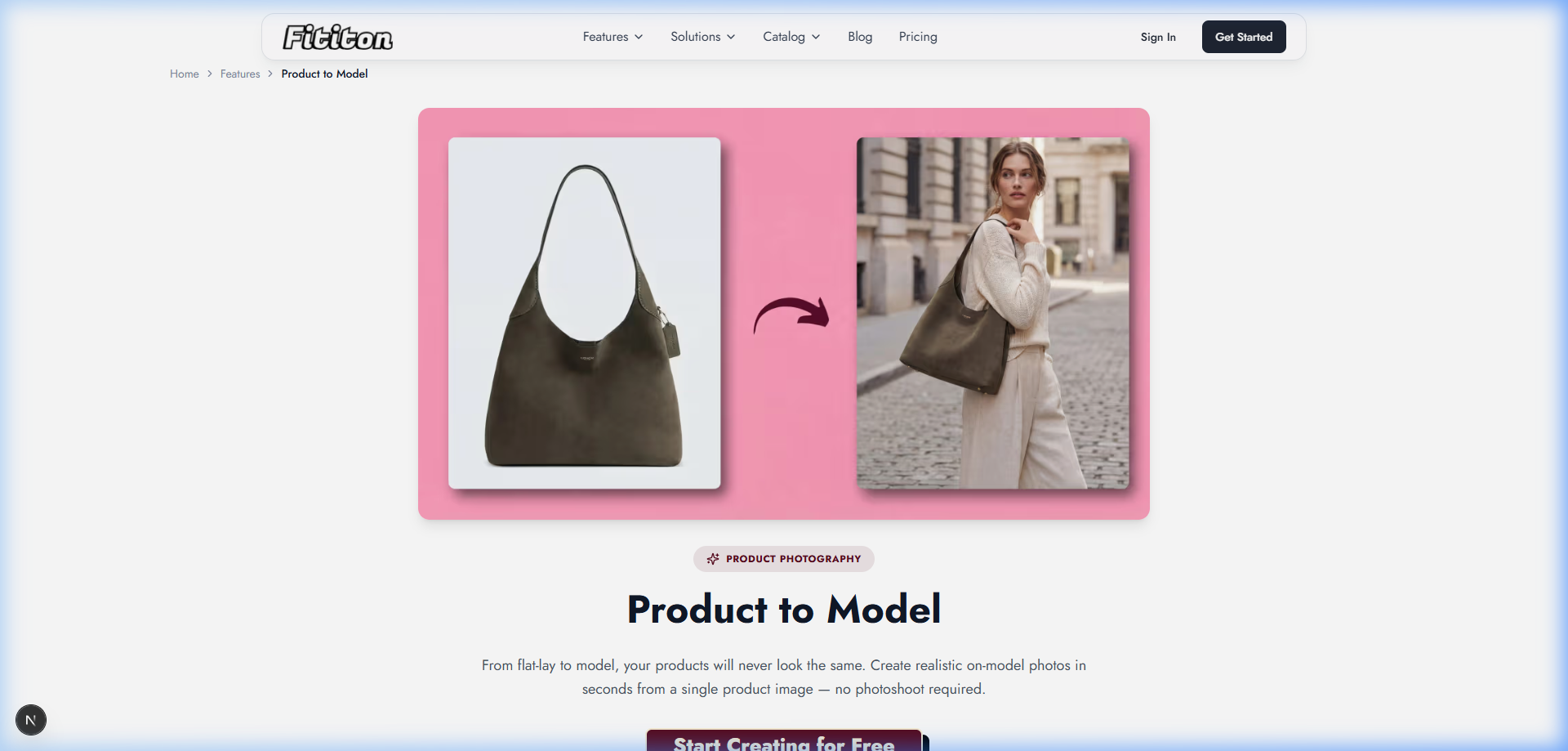
Platforms like Fit It On let you upload your garment photo and generate on-model imagery in seconds. Here's the core workflow:
- Upload your garment image — flat-lay, ghost mannequin, or packshot
- Choose your approach:
- Image Try-On: Upload a person photo + garment → AI composites them together
- Product-to-Model: Upload just the garment → AI generates a complete on-model photo automatically
- Select an AI model from the library — choose body type, skin tone, and demographic that matches your brand
- Configure settings — choose pose, background, and quality (1K, 2K, or 4K)
- Generate and download your publication-ready on-model photo
The entire process takes under 30 seconds per image, compared to hours for a traditional photoshoot setup. At 1 credit per standard generation, the Pro plan ($29/month for 300 credits) lets you produce up to 300 on-model images per month.
Step 3: Customize for Your Brand
Modern AI tools go beyond basic try-on. Here's how to create a cohesive, professional brand look that rivals big-name fashion companies:
Consistent Model Identity
Using consistent model personas means your AI model has the same face and body proportions across your entire product catalog. This creates the visual consistency that shoppers associate with professional, established brands. Create 2-3 model personas and use them throughout your entire product line.
Background and Setting
Don't settle for just white backgrounds. Through text prompts and settings, you can generate studio backgrounds, outdoor settings, or lifestyle environments. This means your product photos can show garments in context — a blazer in a professional setting, activewear in a gym, a sundress on a beach — without ever leaving your desk.
Multiple Angles and Poses
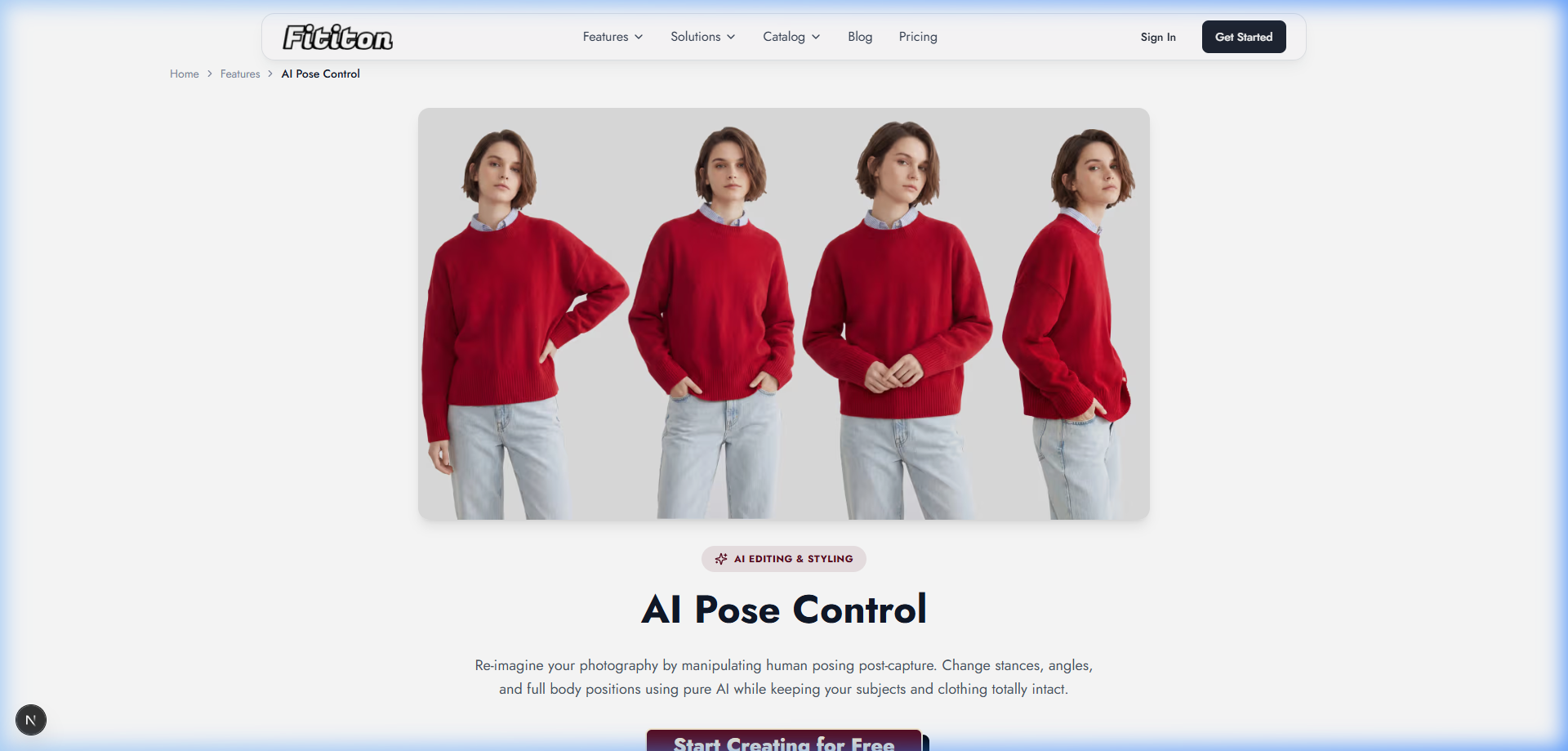
With AI pose control, you can generate the same outfit from multiple angles with different poses by uploading a reference pose image. This mimics the multi-image approach of professional e-commerce listings and gives customers a complete view of the garment.
Social Media Content
Fit It On's Social Studio lets you generate content in specific social media dimensions — square for Instagram posts, 9:16 for Stories and Reels, or custom dimensions for ads. One garment photo can produce dozens of content pieces for different channels.
Step 4: Optimize for Your Sales Channels
Different platforms have different image requirements. Here's how to optimize:
- Shopify/website PDPs: High-resolution images (2000x2000px+), white background for main image, lifestyle images for gallery. Use 2K or 4K generation quality.
- Amazon: White background required for main image (use background removal for this), lifestyle images for gallery slots. Minimum 1000x1000px.
- Instagram/social: Lifestyle and context shots, square or 4:5 format. Social Studio handles these dimensions automatically.
- Etsy: Lifestyle-heavy, showing the product in use or in context. AI lifestyle backgrounds are perfect for this.
- TikTok/Reels: Convert your best on-model images into short video clips using image-to-video generation.
The advantage of AI-generated imagery is that you can create multiple versions optimized for each channel from a single garment photo. One photo in, dozens of content pieces out.
Step 5: Create Product Videos (Bonus)
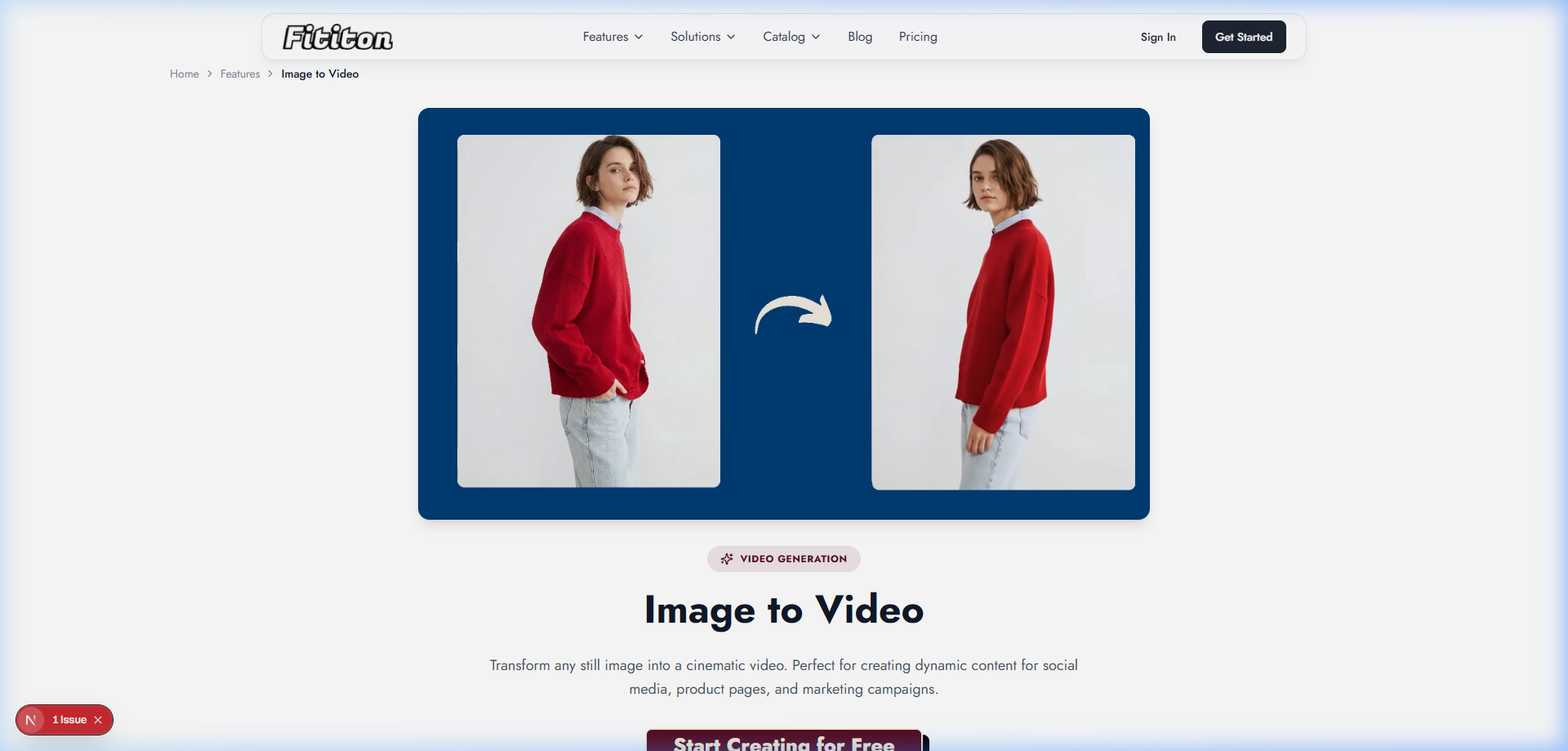
Once you have your on-model images, take it one step further. Fit It On's Image-to-Video feature converts your static on-model photos into short 4-8 second video clips with natural-looking movement — the model shifts weight, fabric sways, hair moves naturally.
Product pages with video see up to 80% higher conversion rates. And video content on Instagram and TikTok gets 3-5x higher reach than static images. With AI, creating these videos costs just 6-12 credits per clip instead of thousands for a video production.
Real Cost Comparison
Here's what the numbers actually look like for a small brand with 30 products:
| Method | Cost per Look | Time per Look | 30 Products (3 angles each) |
|---|---|---|---|
| Traditional photoshoot | $50-200 | 30-60 min | $4,500-18,000 |
| Freelance photographer | $30-100 | 20-40 min | $2,700-9,000 |
| AI (Fit It On Pro) | ~$0.10 | 30 seconds | $29/month covers it all |
On the Pro plan ($29/month for 300 credits), each 1K quality generation costs 1 credit (~$0.10). For 30 products with 3 angles each, you'd use 90 credits — well within a single month's allowance, with 210 credits left over for video, social content, or additional products.
FAQ
Will customers notice these are AI-generated?
With current-generation tools, the quality gap between AI and traditional photography has narrowed dramatically. Most shoppers cannot distinguish high-quality AI-generated on-model images from traditional photos, especially at typical e-commerce viewing sizes. The key is starting with quality input images.
Can I use AI photos on Amazon and Shopify?
Yes. As long as the images meet the platform's technical requirements (resolution, background color, etc.), AI-generated product photos are accepted on all major e-commerce platforms. Fit It On's output meets Amazon, Shopify, Etsy, and eBay image standards.
How many images can I generate per month?
This depends on your plan. With Fit It On: Personal (40 credits), Starter (150 credits), Pro (300 credits), or Agency (1,000 credits). Each standard on-model image costs 1 credit. Higher quality (2K = 3 credits, 4K = 5 credits) or video (6-12 credits) costs more.
Do I need design skills?
No. Fit It On is designed for non-technical users. The interface is: upload your garment → select a model → configure settings → generate → download. No Photoshop, no design experience required.