Video content has become the dominant format in fashion marketing. Product pages with video see up to 80% higher conversion rates. TikTok and Instagram Reels generate 3-5x more reach than static images. E-commerce platforms like Amazon are giving priority placement to listings with video.
But producing fashion video traditionally requires a video team, models, a studio, and hours of editing — costing $3,000-10,000+ per campaign. For most fashion brands, that budget simply doesn't exist for regular content production.
AI image-to-video generation changes this equation entirely. You upload a static product photo or on-model image, and in seconds, the AI generates a short video clip with natural model movement, fabric drape, and cinematic quality. No camera, no crew, no studio.
How AI Image-to-Video Works
Fit It On's image-to-video feature uses generative AI video models to animate your static fashion photos. Here's what happens under the hood:
- Image analysis: The AI identifies the model, garment, background, and lighting conditions in your input photo.
- Motion generation: Using trained video diffusion models, the system generates natural-looking movement — the model shifts weight, turns slightly, fabric sways and drapes naturally, hair responds to movement.
- Temporal consistency: The AI ensures the generated frames maintain consistent identity, garment appearance, and scene continuity throughout the clip.
- Output rendering: The final video is rendered at high quality in 4-second, 6-second, or 8-second durations.
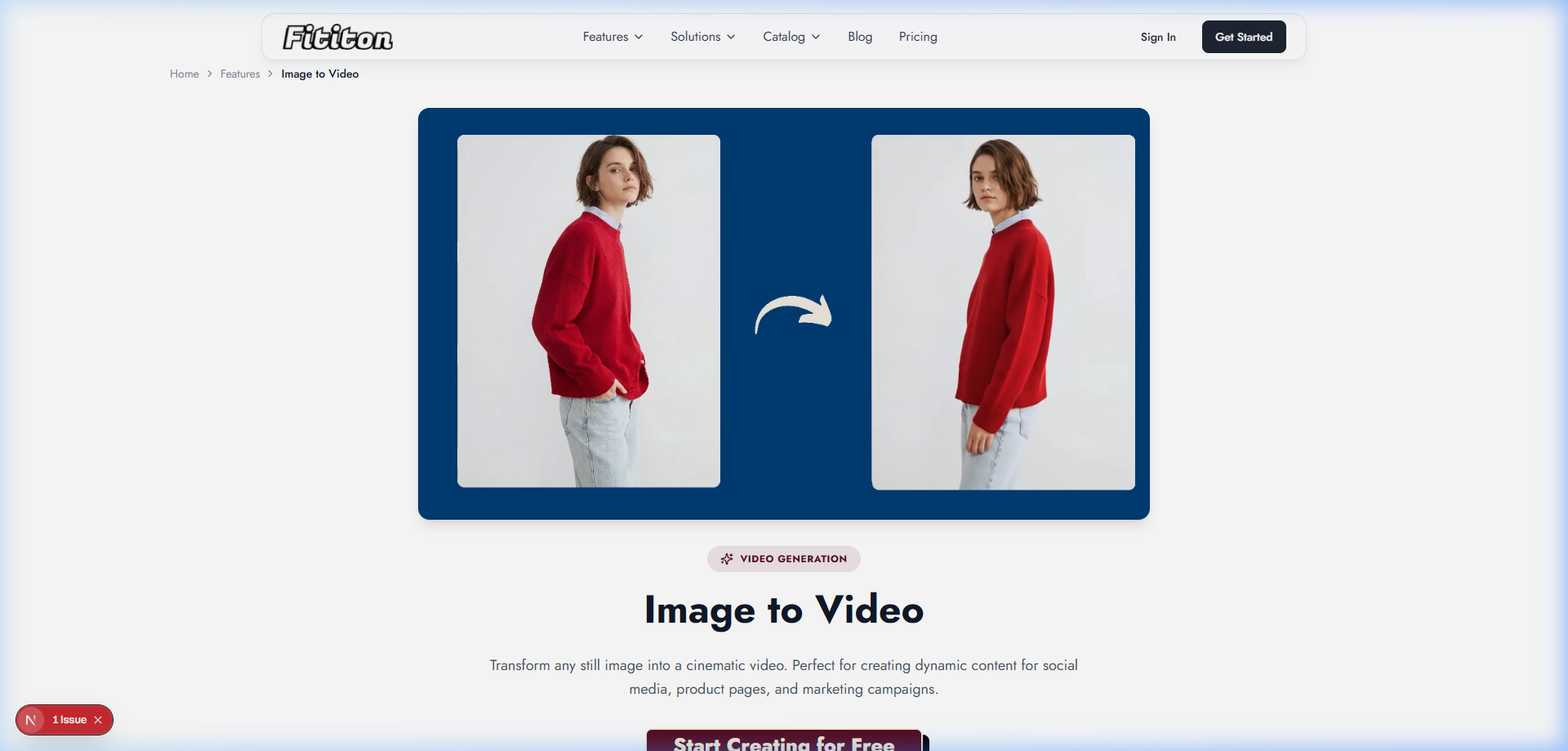
The key advantage over traditional video production: you can produce fashion videos from images you already have. No need to coordinate a separate video shoot — any high-quality on-model photo can become video content.
Where to Use AI Fashion Videos
Product Detail Pages
Adding video to product pages is one of the highest-impact changes you can make for conversion. Shoppers who watch product video are significantly more likely to purchase because video shows how fabric moves, how the garment fits during natural movement, and how colors appear in motion — details that static images simply can't convey.
A short 4-6 second clip embedded below the hero image is the most effective format. It doesn't need to be long — customers just want to see the product "in action" briefly before making a decision.
TikTok & Instagram Reels
Short-form video dominates social media in 2026. AI-generated video clips provide the foundation for TikTok and Reels content:
- Use the 4-8 second AI clips as the base layer
- Add trending audio tracks in TikTok's editor
- Overlay text with product names, prices, or styling tips
- Create "new arrivals" carousels with multiple product clips stitched together
- Post consistently (3-5x/week) without the content creation bottleneck
Paid Advertising
Video ads consistently outperform static image ads on Instagram, Facebook, and TikTok. AI-generated product videos give you the creative variety to:
- Test multiple product videos against each other to find top performers
- Rotate fresh video creatives weekly to avoid ad fatigue
- Create product-specific video ads for retargeting campaigns
- Generate seasonal campaign content rapidly
Email Marketing
While email clients have mixed video support, you can use AI video clips as animated GIFs or link to video content to increase click-through rates. Product-focused emails with video thumbnails see 20-40% higher click rates.
Marketplace Listings
Amazon, ASOS Marketplace, and other platforms are increasingly supporting and prioritizing video content. Listings with video rank higher in search results and convert better. AI-generated clips meet the video requirements without the production overhead.
The Complete AI Video Workflow
Here's the practical process for creating fashion product videos with AI — from product photo to published content:
Step 1: Create Your On-Model Image
If you don't already have on-model product photos, start by generating them using product-to-model or virtual try-on. Upload your flat-lay or ghost mannequin photo, select an AI model, and generate a high-quality on-model image (1 credit, ~30 seconds).
Step 2: Generate the Video
Take your on-model photo and feed it into Fit It On's image-to-video. Choose your duration:
- 4 seconds (6 credits) — ideal for product page GIFs and quick social clips
- 6 seconds (9 credits) — the sweet spot for TikTok/Reels and product page video
- 8 seconds (12 credits) — for ads and more substantial content pieces
Step 3: Post-Process (Optional)
The raw AI video is ready to use as-is for product pages and basic social posts. For more polished content:
- Add branded intro/outro cards using CapCut or InShot (free)
- Add trending audio tracks for TikTok/Reels
- Overlay text with product name, price, and CTA
- Stitch multiple product clips together for collection showcases
Step 4: Publish Across Channels
Distribute your video across all channels: embed on product pages, post to social media, add to email campaigns, and use in paid advertising. One AI video clip can serve 4-5 different channels with minimal adaptation.
Cost Comparison: AI Video vs. Traditional Video Production
| Method | Cost per Video | Time | 20 Product Videos |
|---|---|---|---|
| Professional video production | $500 - $2,000+ | 1-2 days + editing | $10,000 - $40,000 |
| Freelance videographer | $200 - $800 | Half day + editing | $4,000 - $16,000 |
| AI (Fit It On) | $0.60 - $1.20 | ~1 minute | $12 - $24 |
On Fit It On's Pro plan ($29/month, 300 credits), creating a 6-second product video costs 9 credits (~$0.87). You could produce 33 product videos per month using only your Pro plan credits. With the Agency plan ($69/month, 1,000 credits), you could produce over 100 product videos per month.
Tips for Best Results
- Start with high-quality input images: The better your on-model photo, the better your video. Use well-lit, high-resolution images as the source.
- Choose impactful poses: Standing poses with natural, slightly asymmetric body positions produce the most dynamic and realistic video results.
- Consider the end platform: For TikTok/Reels (9:16), generate portrait-oriented source images. For product pages, landscape or square works best.
- Match video duration to use case: 4 seconds for quick social clips, 6 seconds for product pages, 8 seconds for ads and feature posts.
- Iterate: If the first result isn't perfect, try with a different source image or pose. AI video generation improves with experimentation.
Availability & Pricing
Image-to-video is available on Fit It On's Pro ($29/month, 300 credits) and Agency ($69/month, 1,000 credits) plans. It's not available on Free, Personal, or Starter plans.
| Video Duration | Credit Cost | Est. Cost (Pro plan) |
|---|---|---|
| 4 seconds | 6 credits | ~$0.58 |
| 6 seconds | 9 credits | ~$0.87 |
| 8 seconds | 12 credits | ~$1.16 |
FAQ
What format are the output videos?
Output videos are in standard MP4 format, compatible with all social media platforms, e-commerce platforms, and video editing software.
Can I use any image as input for video generation?
Yes — any high-quality photo of a person wearing or modeling a garment works. On-model images (whether from a real photoshoot or AI-generated) produce the best results. Pure product-only images (flat-lays) should first be converted to on-model images using product-to-model before generating video.
Do AI videos look realistic?
Current-generation AI video produces natural-looking movement suitable for social media, product pages, and advertising. The quality is particularly strong for short clips (4-6 seconds) where the model has subtle, natural movement. Very complex movement sequences may occasionally produce artifacts in longer clips.
Can I add audio to AI-generated videos?
AI-generated videos are currently silent. Audio can be added in post-production using free tools like TikTok's built-in editor, CapCut, or InShot. For TikTok/Reels, adding trending audio in the platform's native editor is recommended for maximum reach.