AI-powered fashion photography uses generative artificial intelligence to create professional product images for fashion brands and e-commerce sellers. Instead of booking a studio, hiring models, and managing a traditional photoshoot, you upload a garment image and let AI handle the rest — generating realistic on-model photos, lifestyle shots, and even short video clips.
The technology has evolved dramatically over the past two years. Early tools produced obvious AI artifacts and uncanny-valley results. Current-generation platforms like Fit It On generate images that are difficult to distinguish from traditional photography at normal viewing sizes, with strong preservation of garment details like prints, textures, logos, and fabric characteristics.
This complete guide covers every tool in the modern AI fashion photography toolkit, how to build an efficient workflow, how to measure results, and what it all costs.
The AI Fashion Photography Toolkit
Modern AI photography platforms offer several interconnected capabilities. Understanding each one helps you choose the right tool and workflow for your needs.
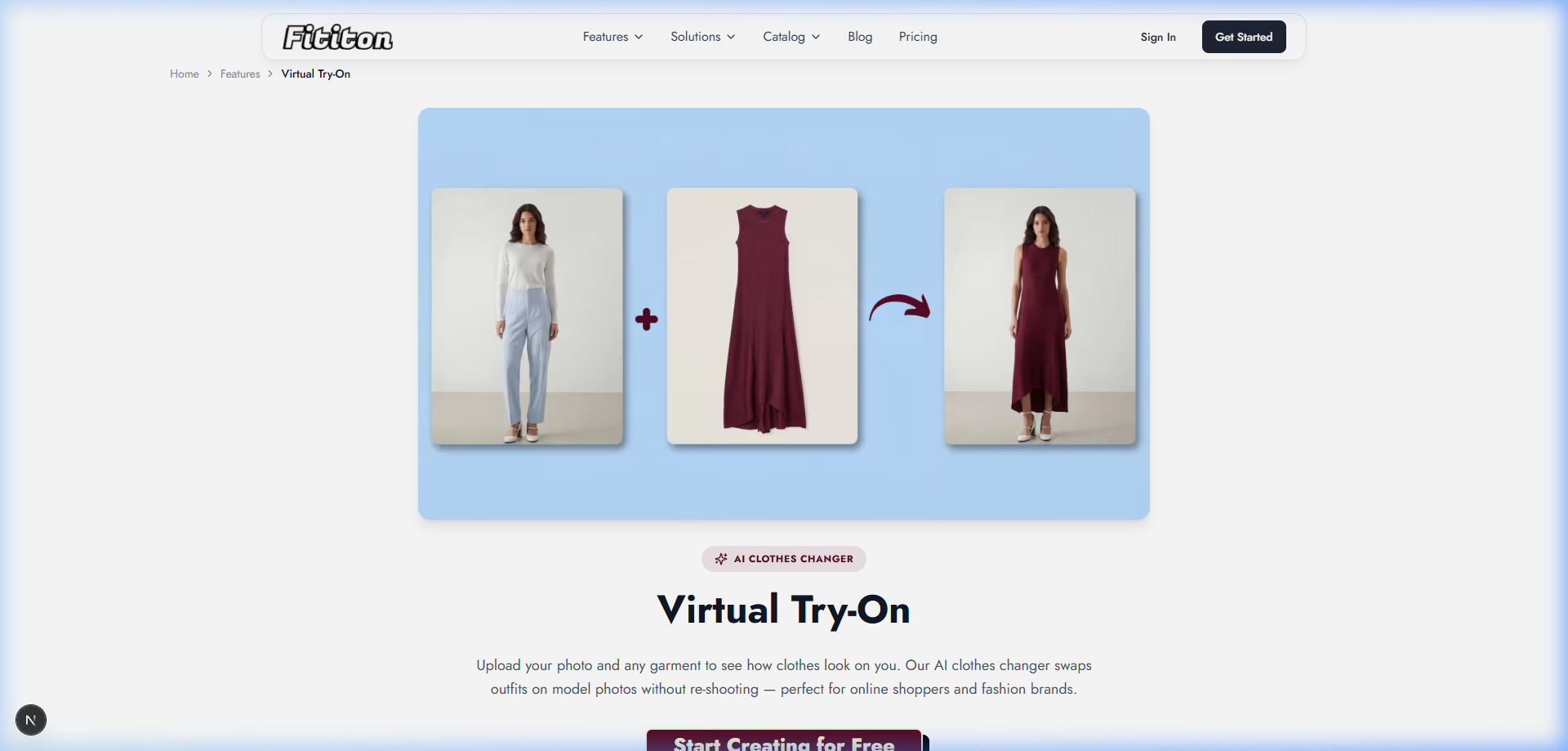
Virtual Try-On
Virtual try-on is the foundation. Upload a garment photo and a person photo (or select an AI model), and the system generates a composite image showing the garment on the person. The best tools preserve fabric textures, handle complex patterns, and maintain proper fit and drape.
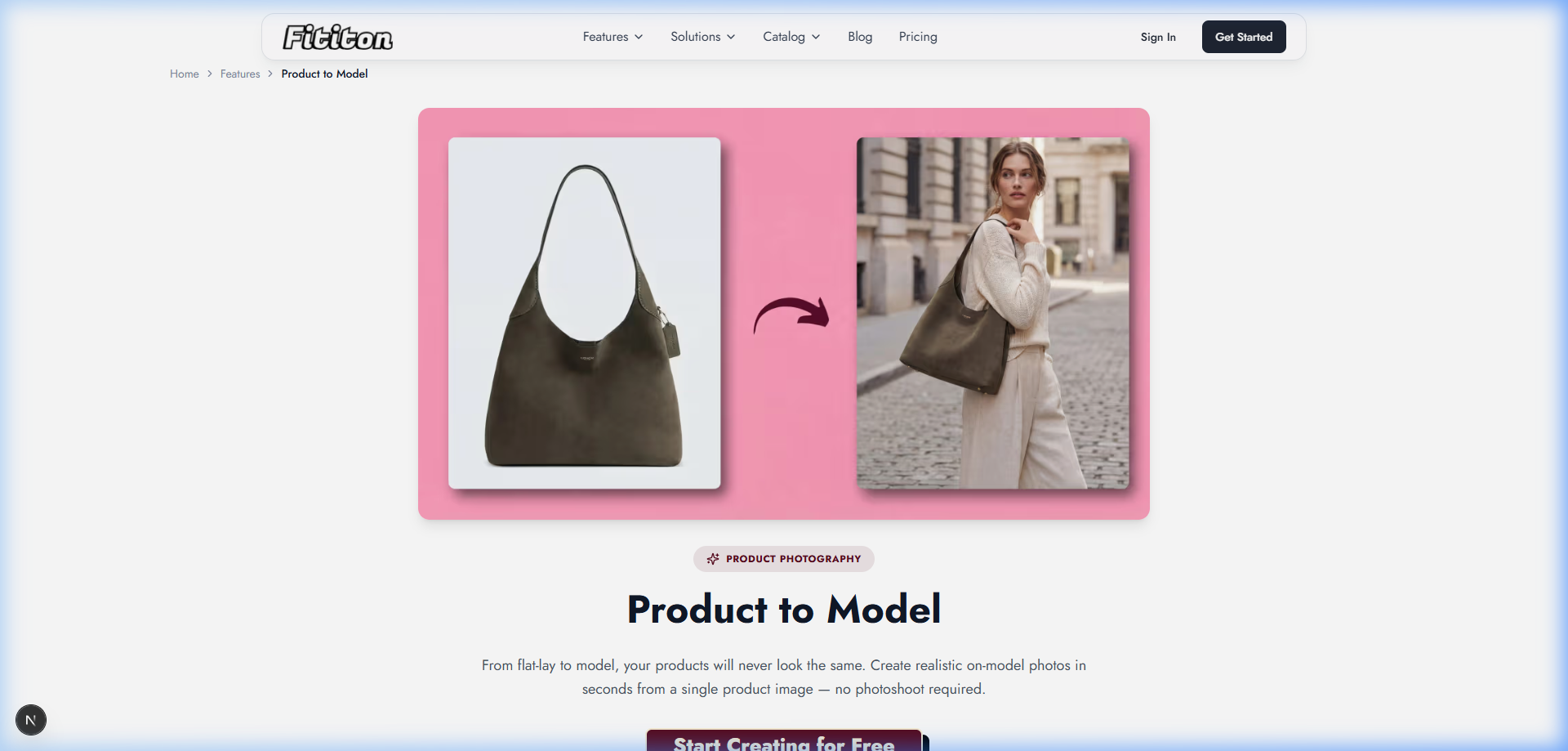
Product-to-Model Conversion
Product-to-model takes your existing product photography — flat-lays, ghost mannequin shots, or packshots — and generates on-model imagery without needing a separate person photo. This is the most practical feature for e-commerce sellers who already have product images but lack on-model content.
AI Model Creation
AI model creation generates photorealistic model images from text descriptions. Describe the model you want — age, ethnicity, body type, hair style, even facial expression — and the AI creates a realistic portrait that can be used across your product catalog. Available on Pro and Agency plans.
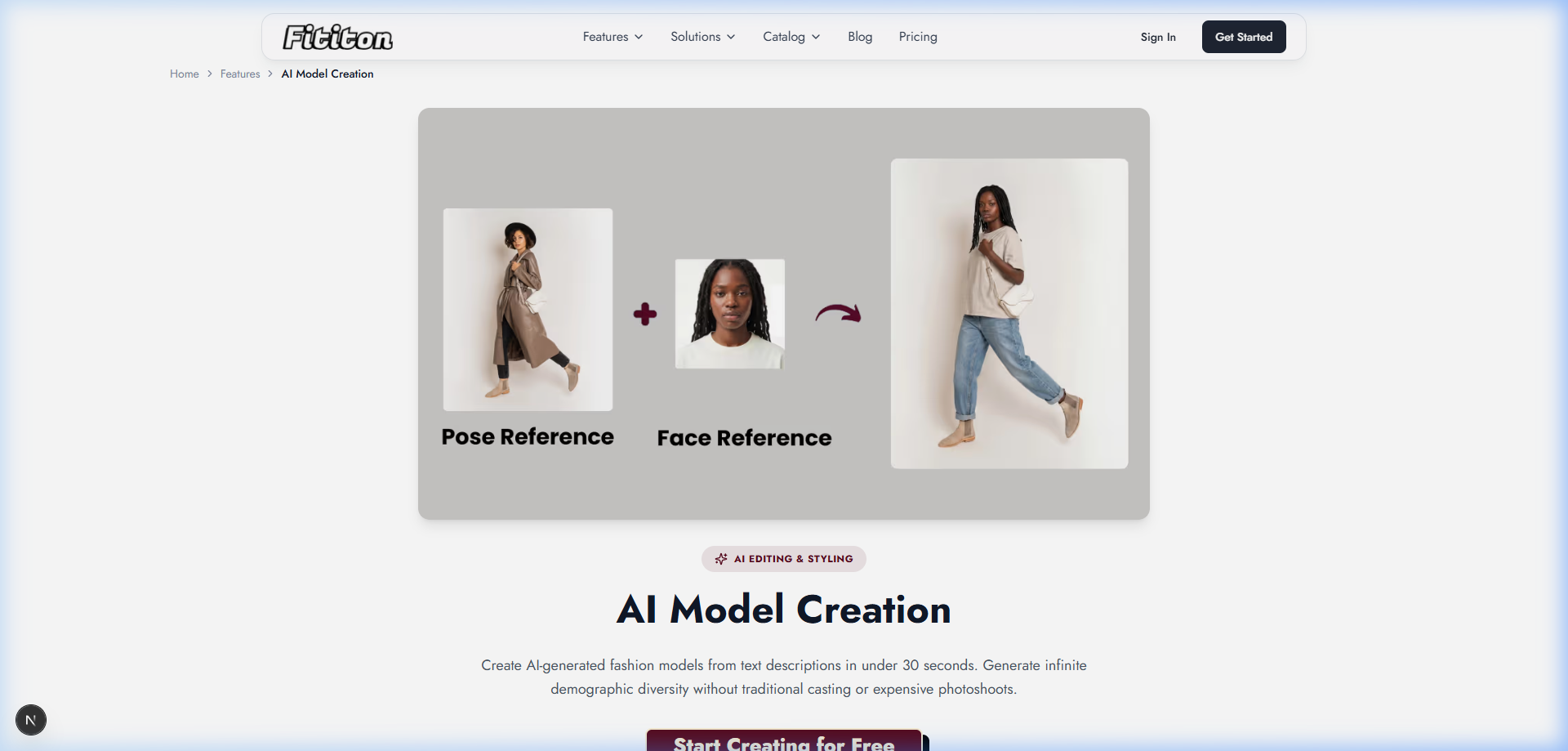
Pose Control
Pose control lets you specify exactly how the model should pose. Upload a reference image showing the desired pose, and the AI replicates that body position with your chosen model wearing your garment. This ensures consistent catalog styling across your entire product line.
Consistent Model Identity
Consistent model identity maintains facial features, skin tone, and body proportions across multiple generations. Your entire catalog can feature the same 2-3 model personas without hiring anyone — creating the professional visual consistency that customers associate with premium brands.
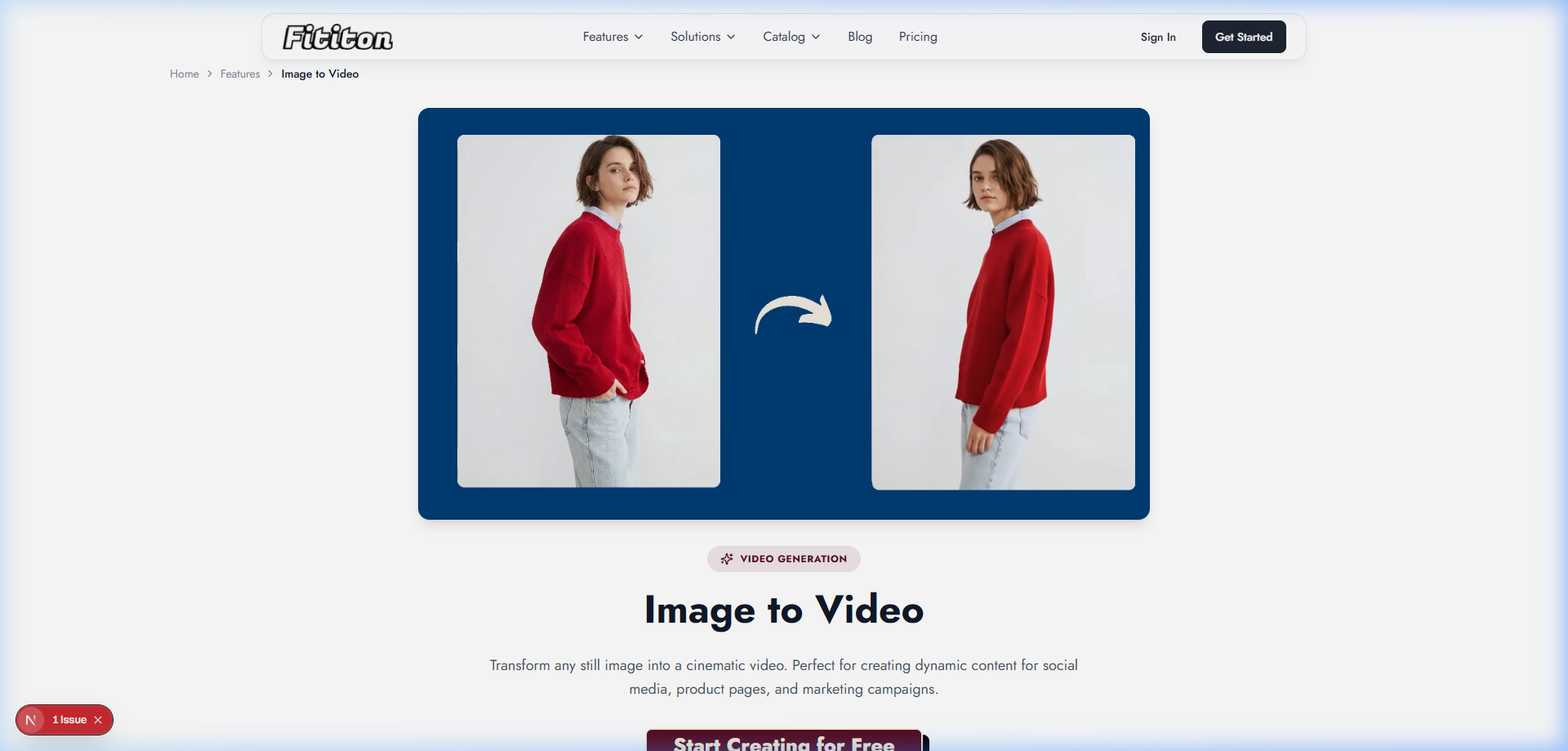
AI Fashion Video
Image-to-video generation takes your on-model photos and transforms them into short video clips (4, 6, or 8 seconds) showing natural movement, fabric drape, and subtle pose shifts. Available on Pro and Agency plans at 6-12 credits per clip.
Background Removal & Social Studio
Two additional built-in tools round out the platform: Background Removal strips backgrounds from any image instantly (free to use), and Social Studio generates content optimized for specific social media formats and dimensions — square for Instagram, 9:16 for Stories, and custom formats for ads.
Building Your AI Photography Workflow
Step 1: Audit Your Current Content
Before diving in, answer these questions to shape your approach:
- How many SKUs need on-model imagery?
- What types of input images do you already have? (flat-lays, ghost mannequin, packshots)
- What output do you need? (PDP images, social content, marketplace listings, video)
- How frequently do you refresh collections?
- What channels are you selling on? (website, Amazon, Etsy, social)
Step 2: Start With Your Best-Selling Products
Don't try to reshoot your entire catalog on day one. Start with 10-20 of your best-selling products. This lets you dial in the workflow, test different AI models and poses, and compare conversion performance against your existing imagery. Track add-to-cart rate and conversion rate for 2 weeks before rolling out wider.
Step 3: Standardize Your Inputs
- Consistent lighting setup (even, diffused, no harsh shadows)
- Clean white or neutral background
- Full garment visible with 2-3 inch margin around edges
- Iron or steam all garments before photographing — wrinkles are the enemy
- Multiple formats if possible (flat-lay + ghost mannequin gives the AI more information to work with)
Step 4: Build Your Model Library
Create 3-5 consistent model personas that represent your brand's target customer demographics. Use these same models across your entire catalog for visual consistency. With Fit It On's AI model creation (Pro/Agency plans), you can describe your ideal brand models and generate them from text.
Step 5: Generate, Review, and Iterate
Generate your on-model images, review the results, and regenerate any that don't meet your quality standards. The speed of AI generation means you can iterate rapidly — if a pose doesn't work, try another in 30 seconds. If the fabric drape looks off, adjust the input image and try again. Build a quality standard and stick to it.
Step 6: Extend to Video & Social
Once you have your hero on-model images, extend them: convert the best shots to video clips for product pages and social media, create social-optimized versions in the Social Studio, and remove backgrounds for marketplace listings. One product photo becomes 5-10 content pieces.
What It Costs
Here's Fit It On's current pricing and what each plan gets you:
| Plan | Price | Credits | Video & Custom Models |
|---|---|---|---|
| Free | $0 | 3 | No |
| Personal | $4.99/mo | 40 | No |
| Starter | $15/mo | 150 | No |
| Pro ⭐ | $29/mo | 300 | Yes — full access |
| Agency | $69/mo | 1,000 | Yes — full access + 5 seats |
Credit costs per feature: Virtual try-on = 1 credit, 1K generation = 1 credit, 2K = 3 credits, 4K = 5 credits, 4s video = 6 credits, 6s video = 9 credits, 8s video = 12 credits.
Need more credits? You can purchase additional credits at $0.10/credit anytime, on top of your subscription.
Measuring the Impact
Track these metrics before and after implementing AI photography to measure ROI:
- Conversion rate: On-model imagery typically increases conversion by 30-50% vs flat-lay photos. Run A/B tests with your specific products to quantify.
- Return rate: Accurate product visualization can reduce "not as expected" returns by 10-25%.
- Content velocity: How many new products can you list per week vs. previously? Track this to measure the operational improvement.
- Photography cost per SKU: Compare your total photography cost per product before AI vs. after. Include time costs, not just monetary costs.
- Social media engagement: Track likes, shares, and saves on posts using AI-generated on-model imagery vs. flat-lay content.
FAQ
How long does it take to generate an AI fashion photo?
With current tools, typically 15-30 seconds per image. A 50-product catalog with 3 angles each can be completed in about an hour — work that would take a professional production team 3-5 full days.
Do I need any technical skills to use AI photography tools?
No. Modern platforms like Fit It On are designed for non-technical users. The interface is: upload → select model → configure settings → generate → download. If you can use Instagram, you can use AI fashion photography tools.
What resolution are AI-generated fashion photos?
Fit It On outputs images at 1K resolution by default (1 credit), with options to generate at 2K (3 credits) or 4K (5 credits) for high-quality print, zoom, and web usage.
Can I use AI fashion photos for print catalogs?
Yes, at 4K resolution. The output quality is sufficient for high-quality print at standard catalog sizes. For billboard or very large format print, traditional photography may still be preferable.