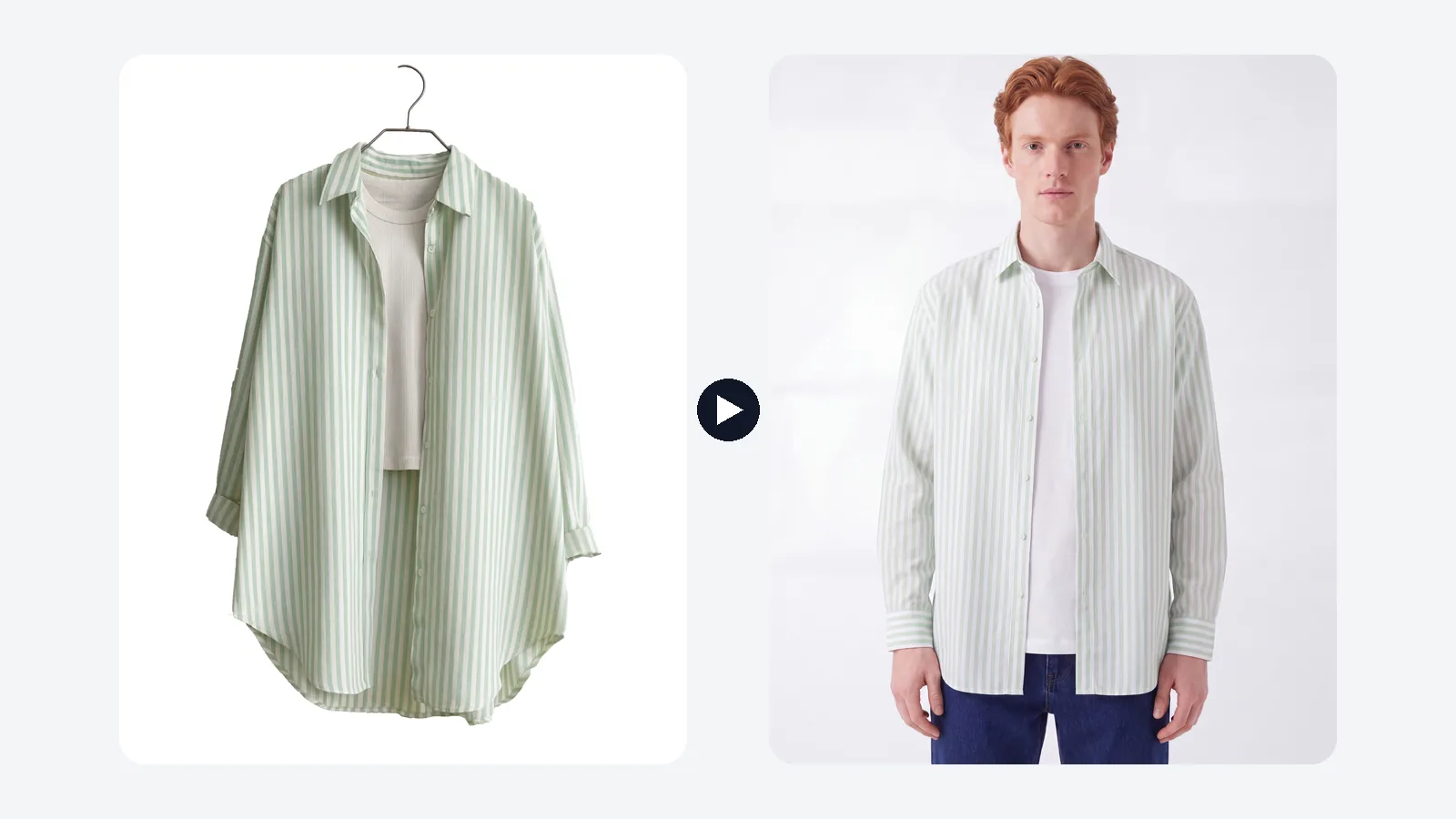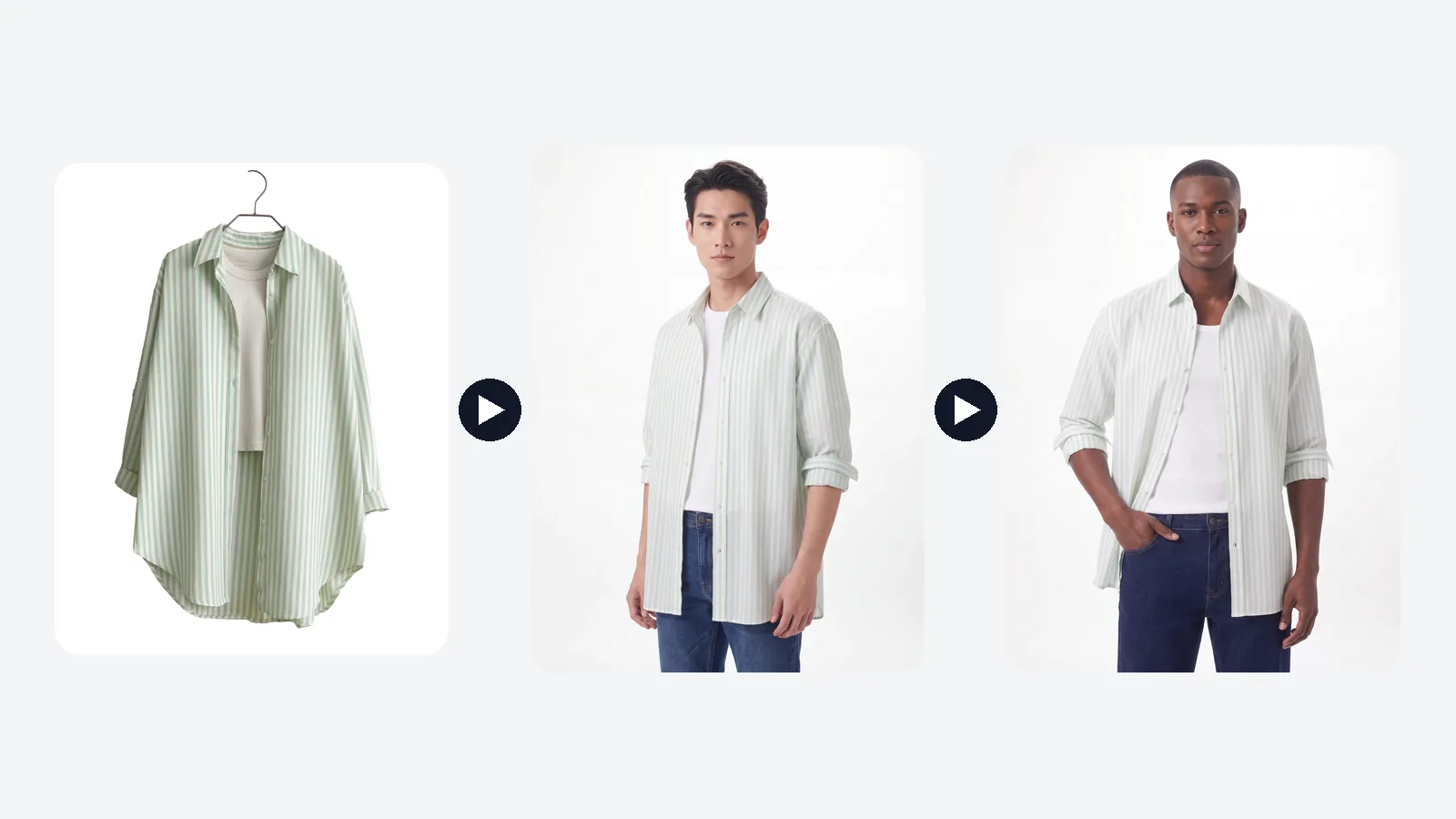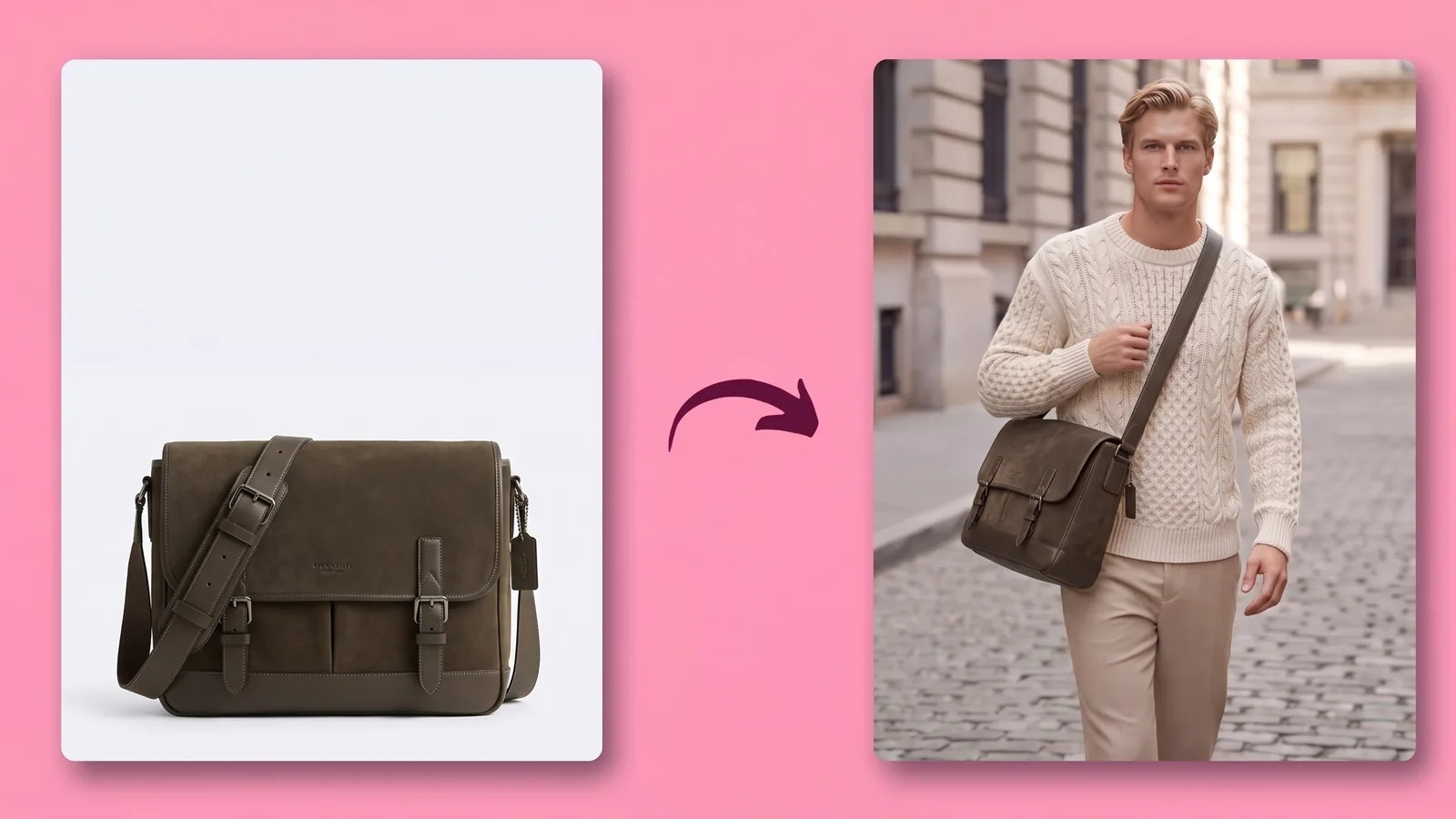
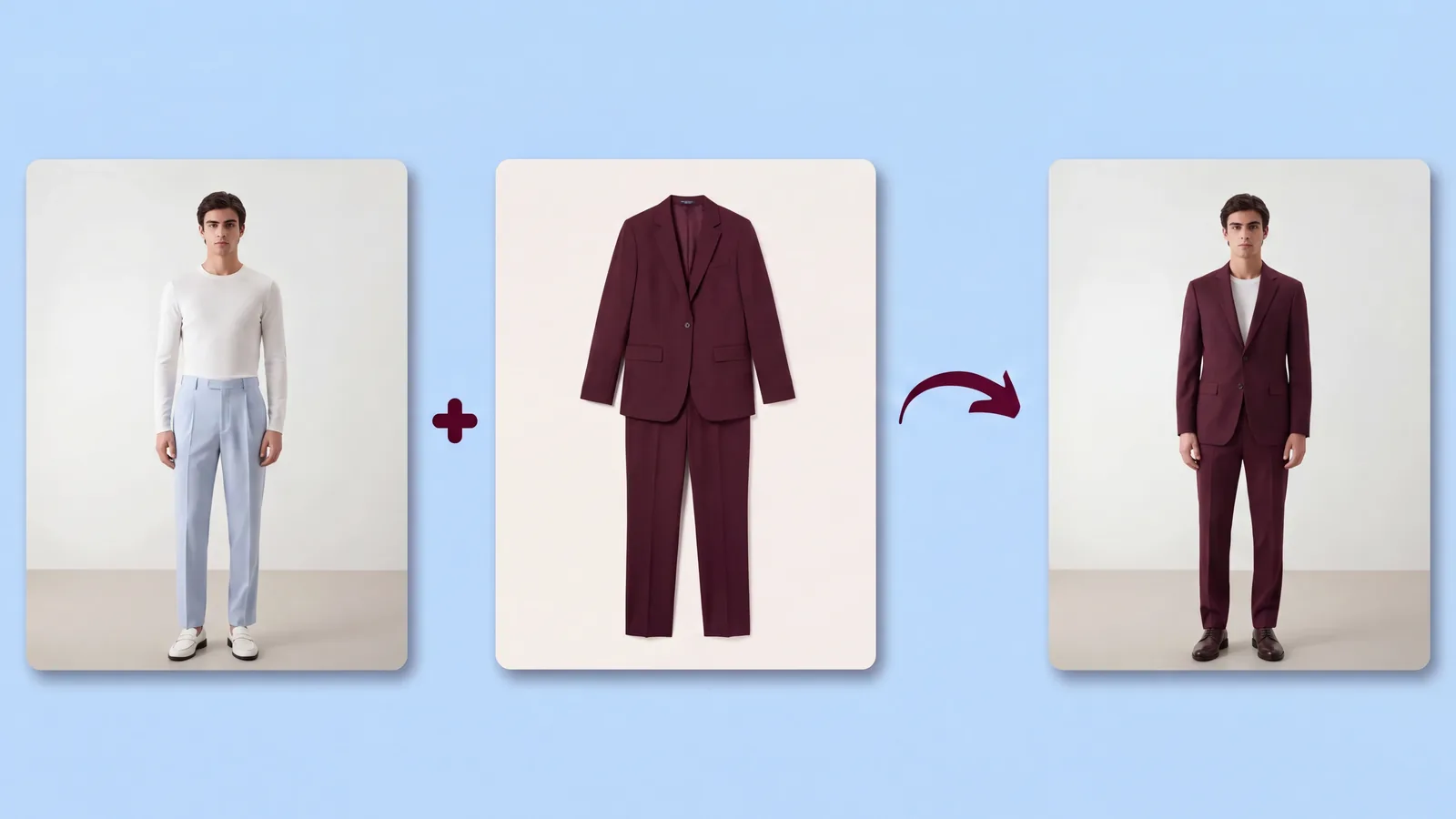
The best AI virtual try-on tool depends on the job. For on-model product photos, use a merchant tool such as Fit It On, Botika or FASHN. For shoppers trying clothes on your product pages, use a widget or a try-on API. Open models like IDM-VTON can be self-hosted, but most of their licences forbid commercial use.
Last updated: November 2026 · Prices checked November 2026
Fit It On is our product. We've noted where another tool is the better fit.
What are the three types of virtual try-on tools?
"Virtual try-on" covers three different products, and picking the wrong type is the most common mistake. One makes catalogue photos for you, one runs on your store for shoppers, and one is a building block for developers.
| Type | Who uses it | Examples | Typical cost | Watch out for |
|---|---|---|---|---|
| 1. On-model photo generators | You, to make product photos | Fit It On, Botika, FASHN app | Monthly plan, about $0.07–$0.13 per standard image on Fit It On | Check garment detail on your hardest items |
| 2. Shopper try-on widgets | Your customers, on product pages | Fit It On Shopify app, Try-On.AI and other Shopify apps | Free tier, then roughly $0.075–$0.15 per try-on | Usage caps and overage fees; shows look, not size |
| 3. APIs and open models | Developers building their own flow | Google Vertex AI, FASHN API, Kling, IDM-VTON, CatVTON | From $0.06 per image (hosted); GPU time (self-hosted) | Most open models are non-commercial |
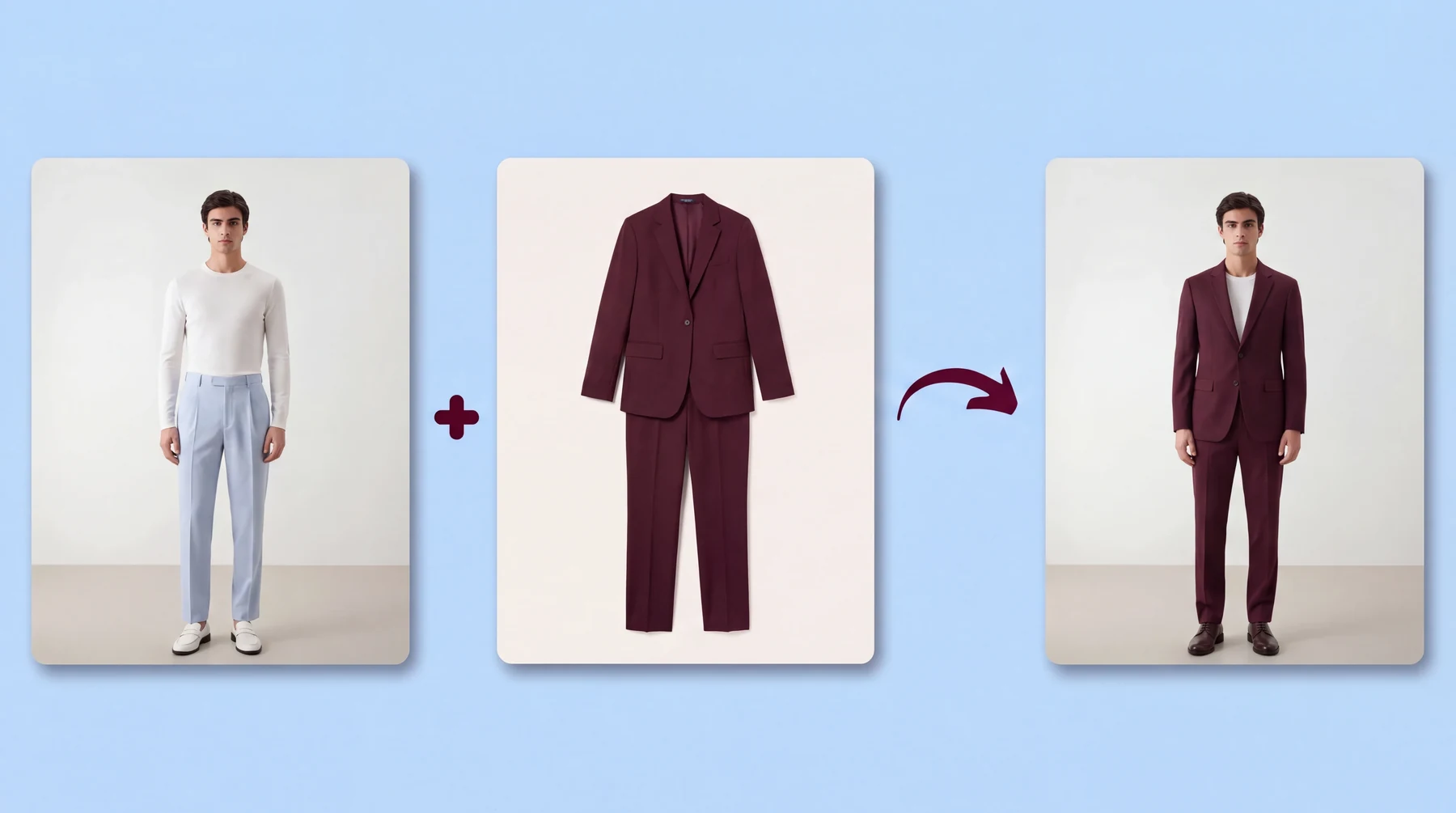
Which on-model photo generators work for merchants?
If you need catalogue images, use a merchant tool that puts your garment on an AI model. This replaces a photoshoot, not a fitting room. We compare these tools in depth in our guide to the best AI model photo generators, so here is the short version.
- Fit It On. Virtual try-on, product-to-model, pose control, ghost mannequin and video in one app. A standard try-on takes a median 15.4 seconds (our benchmarks). Limitation: it is built for apparel, and video and custom models need the Pro or Agency plan.
- Botika. Focused on turning flat-lays into on-model photos for fashion stores. Limitation: it makes catalogue photos, not a try-on button for shoppers. See vendor site for current plans.
- FASHN app. Web app from the team behind the FASHN API, from $19/month for 200 credits (FASHN pricing). Limitation: plans are monthly credit allowances, so light users may pay for credits they don't use.
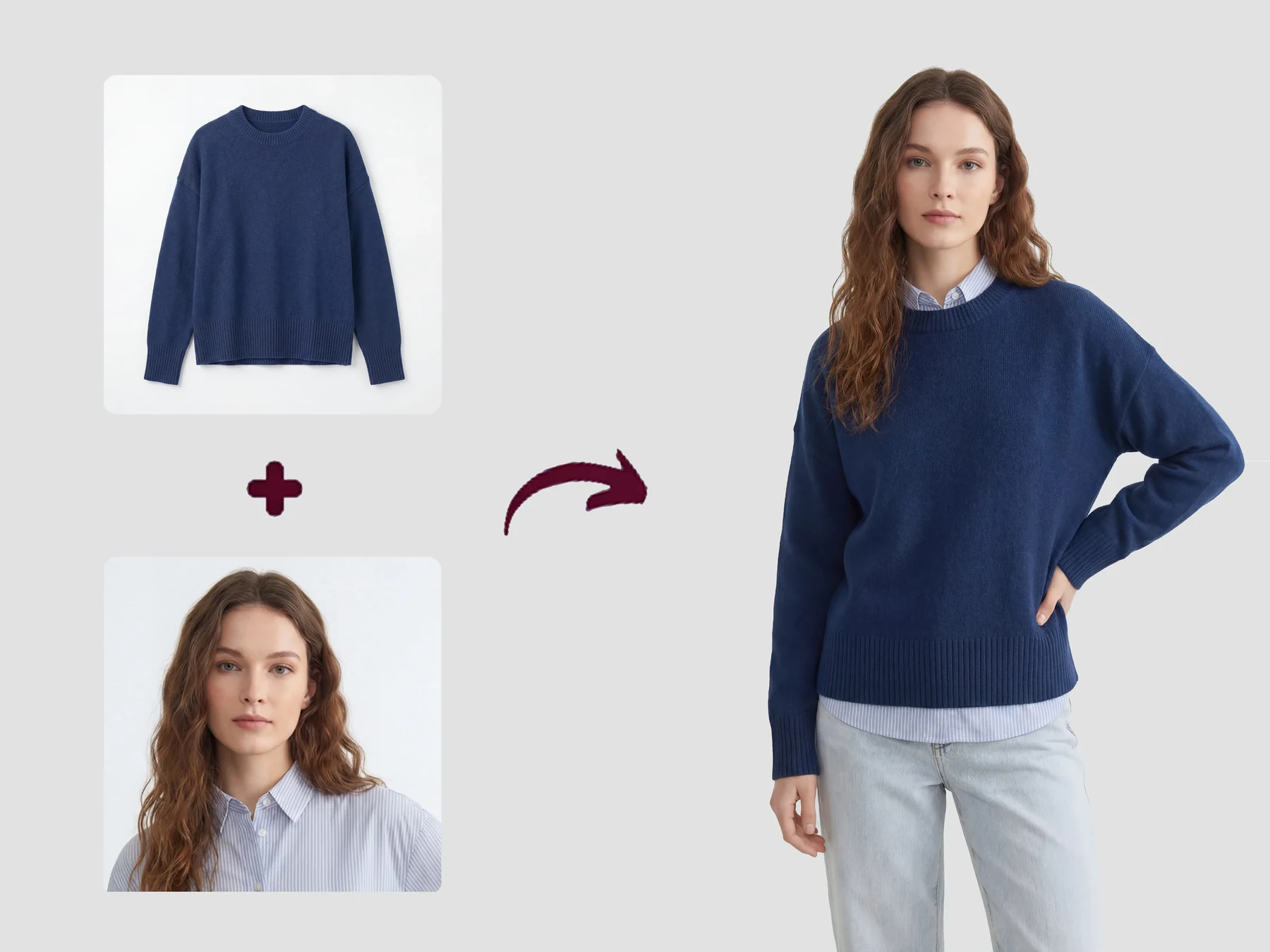
Which virtual try-on widgets work on Shopify product pages?
A shopper-facing widget adds a "Try it on" button to your product page: the customer uploads a photo and sees themselves in the item. The Shopify App Store lists dozens of these apps, and most have a small free tier and charge per try-on above it.
Fit It On for Shopify
Our Shopify app adds a try-on button through Shopify's theme editor, as an inline button or a floating icon. The shopper uploads a photo, the app generates the result, and the result screen offers Add to cart, Download and Try another.
- Free plan with 30 try-ons a month; paid plans run from $9/month (100 try-ons) to $149/month (2,000 try-ons).
- Paid plans add dashboard analytics and full widget customisation.
- Limitation: the Shopify App Store listing is not live at the time of writing, so check the app page or contact us before you plan around it.
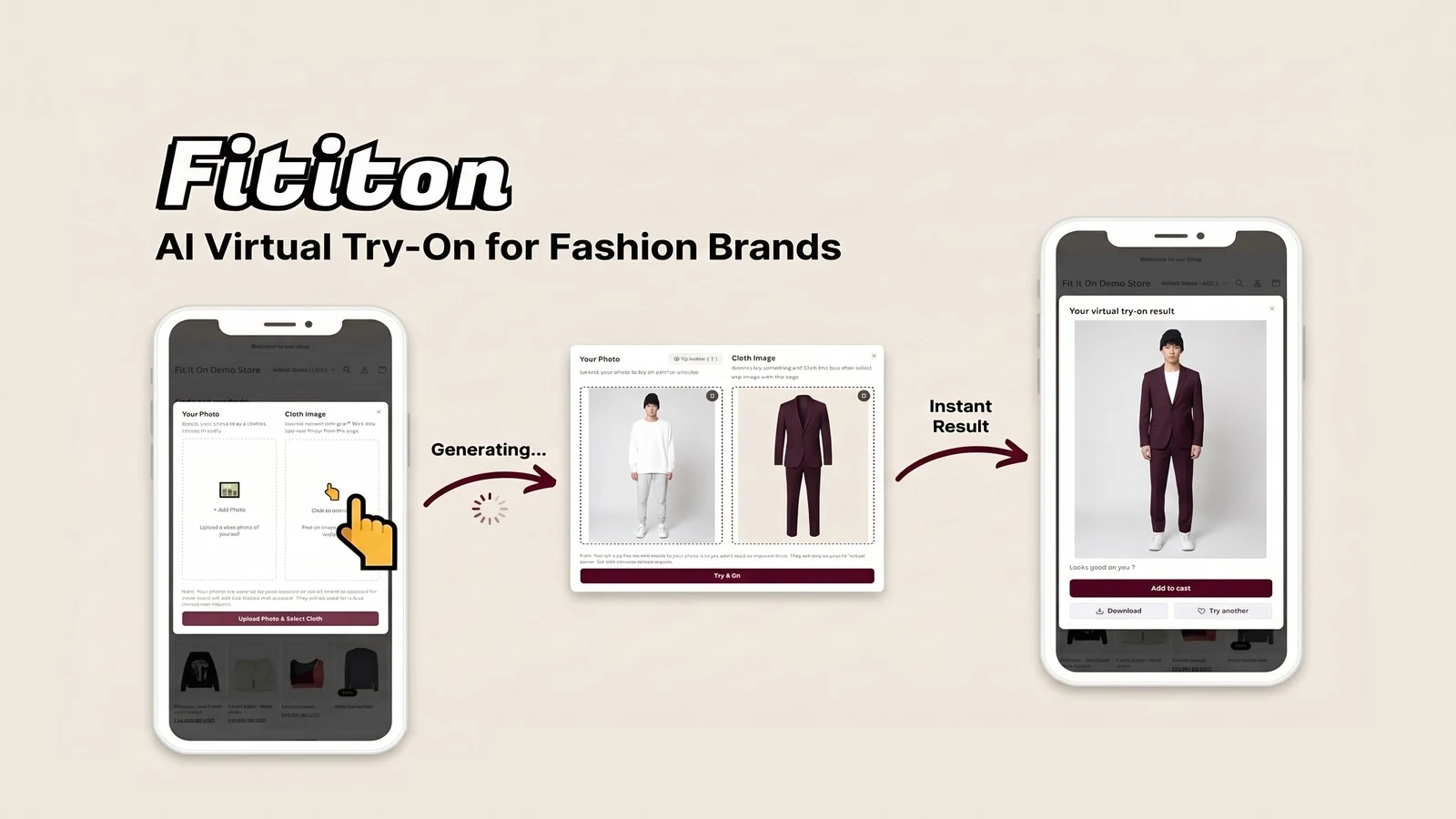
Other Shopify try-on apps
For comparison, Try-On.AI offers 25 free try-ons a month, then $14.99/month for 100 up to $99/month for 1,000, with $0.10–$0.15 per extra try-on. Many newer apps have few or no reviews, so test any app on a staging theme first.
Whatever you install, be honest with shoppers: a try-on shows how a garment looks on them, not which size fits. Keep your size guide next to the button. For what try-on does to returns, see how virtual try-on helps reduce fashion returns.
Is there a virtual try-on API?
Yes. Several companies sell hosted try-on APIs: you send a person image and a garment image, and you get the result back, usually as an async job. These are the ones we could verify with public prices.
- Google Vertex AI Virtual Try-On: $0.06 per image, one person and one garment image per call (Google Cloud pricing). Limitation: you need a Google Cloud project and billing set up.
- FASHN API: $0.075 per credit on demand, minimum $7.50. Try-On v1.6 costs 1 credit per image; Try-On Max costs 1–5 credits depending on mode and resolution up to 4K (FASHN docs). Limitation: on-demand credits expire after 12 months.
- Kling Virtual Try-On: $0.112 per 1K image on Kling's e-commerce solution API, with options to keep the face, pose and background (Kling API pricing). Limitation: input images are capped at 2048px on the longest side.
- Fit It On Developer API: REST endpoints for try-on, product-to-model and more, with webhooks; try-on is 1 credit per image (API docs). Limitation: apparel only, like the app.
Tip: an API gives you the image, not the shopping experience. You still build the upload screen, consent and privacy notice, error states and storage. If you only sell on Shopify, a widget is usually faster to launch.
Which virtual try-on models can be used commercially?
Of the well-known open try-on models, most are licensed for non-commercial use only. IDM-VTON, OOTDiffusion and CatVTON all use CC BY-NC-SA 4.0, and OutfitAnyone has released no weights at all. FASHN VTON v1.5 is a rare Apache-2.0 option. We checked each model page and licence file in November 2026.
| Model | Weights released? | Licence | Commercial use? |
|---|---|---|---|
| IDM-VTON | Yes (Hugging Face) | CC BY-NC-SA 4.0 (code and checkpoints) | No |
| OOTDiffusion | Yes (half-body and full-body checkpoints) | CC BY-NC-SA 4.0 | No |
| CatVTON | Yes (Hugging Face) | CC BY-NC-SA 4.0 | No |
| OutfitAnyone | No (hosted demo only) | None published | No (nothing to self-host) |
| Leffa | Yes (Hugging Face) | MIT | Unclear: try-on weights are trained on research datasets (see below) |
| FASHN VTON v1.5 | Yes (about 2 GB) | Apache-2.0 | Yes under its licence; output is 576×864 px |
What "non-commercial" means for a store
CC BY-NC-SA rules out using the model "primarily intended for commercial advantage". Generating images for your product pages, or running the model behind a widget on your store, is commercial use.
Two more traps:
- Training data. Many try-on checkpoints, including Leffa's, are trained on VITON-HD or Dress Code. VITON-HD is released under CC BY-NC 4.0, and Dress Code has its own research terms. An MIT code licence doesn't settle that.
- Wrappers. A ComfyUI node or a fork with an MIT licence doesn't change the licence of the weights it loads.
This is a summary, not legal advice. If you plan to self-host, have someone read the licence file and model card for the exact version you deploy. If you just want commercial images, a hosted API or app whose terms grant you rights to the output is the simpler path.
How much does virtual try-on cost per image?
Hosted virtual try-on costs about $0.06–$0.15 per standard image in November 2026; premium quality modes cost more. Self-hosting has no per-image fee, but you pay for GPUs and setup, and most free models can't be used commercially.
| Option | How it's priced | Cost per try-on image |
|---|---|---|
| Google Vertex AI | Pay per image | $0.06 |
| FASHN API | $0.075 per credit | $0.075 (v1.6) to $0.375 (Try-On Max, quality, 4K) |
| Kling Virtual Try-On | Pay per image | $0.112 (1K) |
| Fit It On app | Monthly credits; try-on is 1/2/3 credits (Standard/High/Hyper) | Standard: about $0.07 (Agency) to $0.13 (Personal) |
| Fit It On Shopify app | Try-ons per month | $0.09 ($9 for 100) to $0.075 ($149 for 2,000) |
| Try-On.AI (Shopify) | Try-ons per month plus overage | About $0.10–$0.15 |
| Self-hosted open model | Your GPU bill | Varies; check the licence first |
The Fit It On figures divide the plan price by its credits: Personal is $4.99/month for 40 credits and Agency is $69/month for 1,000. A High try-on costs twice the Standard rate and Hyper three times. See pricing for all plans.
Two things change the real cost more than the list price:
- Retries. If you keep one image in three, your real cost per usable photo is three times the list price. Test with your own garments before you compare.
- Shopper volume. On a widget, every curious visitor uses a try-on. Set a monthly or daily cap so a traffic spike doesn't become a bill.
For how AI images compare with a real shoot on cost, see AI fashion models vs real models.
How do you choose the right virtual try-on tool?
Start from who presses the button. If it's you, making catalogue photos, pick an on-model generator. If it's your shopper, pick a widget. If it's your own app, pick an API.
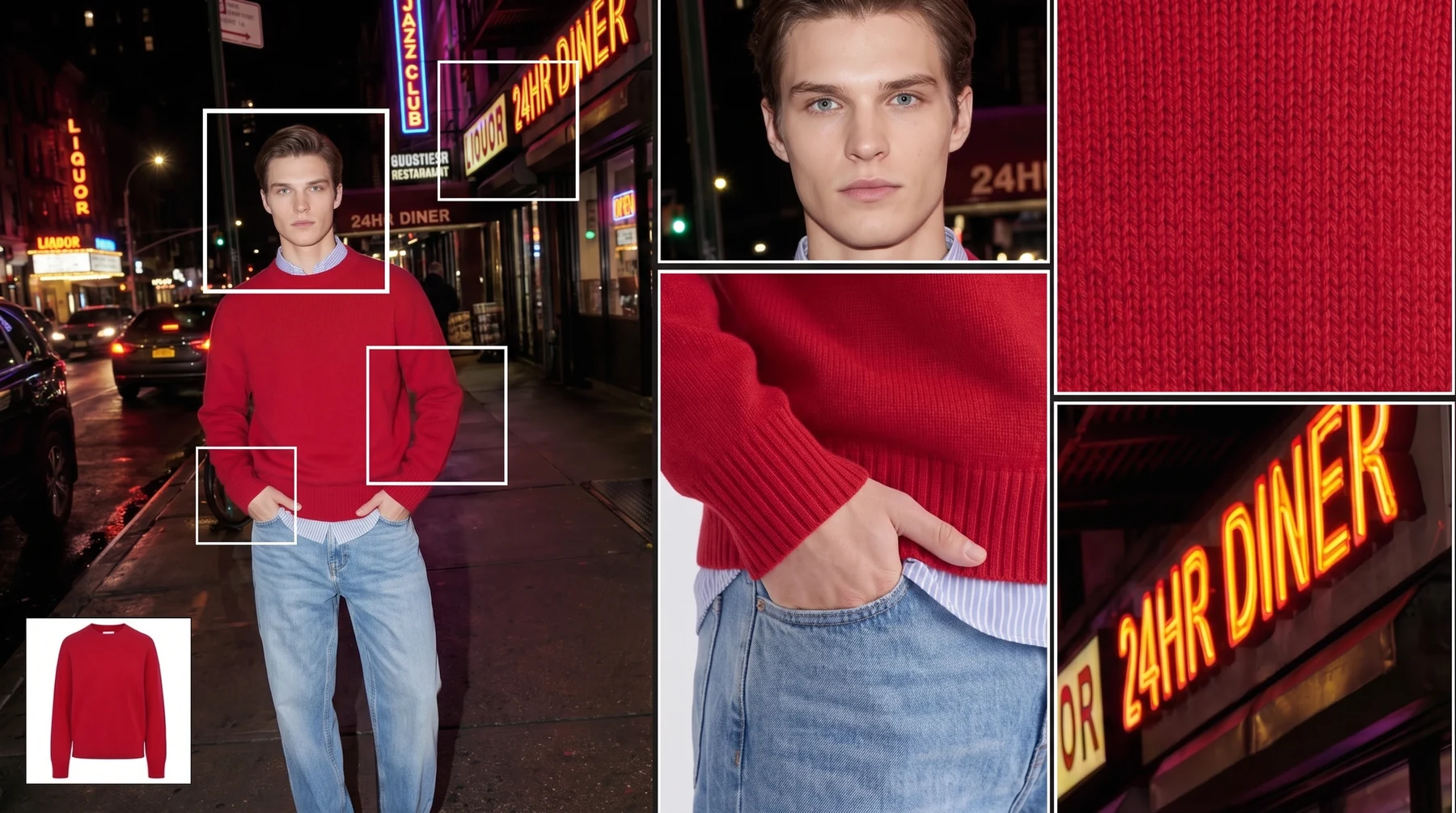
- Test your hardest garments. Prints, logos, lace and knits show the gaps between tools fastest.
- Zoom in. Check collars, cuffs, hems and fabric texture at 100%, not just the thumbnail.
- Read the output terms. Make sure you can use the images commercially, and for open models, read the weights licence.
- Price per kept image. Count retries, resolution upgrades and overage fees.
- Check privacy. Shopper photos are personal data. Know where they are stored and for how long.
Related guides
Frequently asked questions
Which virtual try-on models can be used commercially?
Most well-known open try-on models can't. IDM-VTON, OOTDiffusion and CatVTON are released under CC BY-NC-SA 4.0, which forbids commercial use, and OutfitAnyone has no public weights. FASHN VTON v1.5 is released under Apache-2.0. Hosted APIs such as Google Vertex AI and FASHN are paid commercial services; check their terms for output rights.
Is there a virtual try-on API?
Yes. Google Vertex AI Virtual Try-On costs $0.06 per image, the FASHN API costs $0.075 per credit, and Kling's Virtual Try-On costs $0.112 per 1K image (prices checked November 2026). Fit It On also has a developer API for try-on and product-to-model images.
How much does virtual try-on cost per image?
Hosted try-on usually costs between $0.06 and $0.15 per standard image, with premium modes costing more. On Fit It On, a standard try-on is 1 credit, which works out to about $0.07–$0.13 depending on the plan. High and Hyper quality cost 2 and 3 credits.
What are the best virtual try-on platforms for fashion brands in 2026?
For catalogue photos, look at on-model generators such as Fit It On, Botika and the FASHN app. For a try-on button on product pages, use a Shopify try-on app. For a custom build, use an API such as Google Vertex AI or FASHN. Test each with your own hardest garments before you commit.
Is OutfitAnyone open source?
No. Its GitHub repository contains a README and links to hosted demos on Hugging Face and ModelScope, but no model weights, no inference code and no licence file. You can try it in the demo, but you can't self-host it or use it in a store.
Does virtual try-on show the right size?
No. Image-based try-on shows how a garment looks on a person, not whether a size will fit. Keep a size guide or fit notes next to the try-on button so shoppers don't confuse the two.