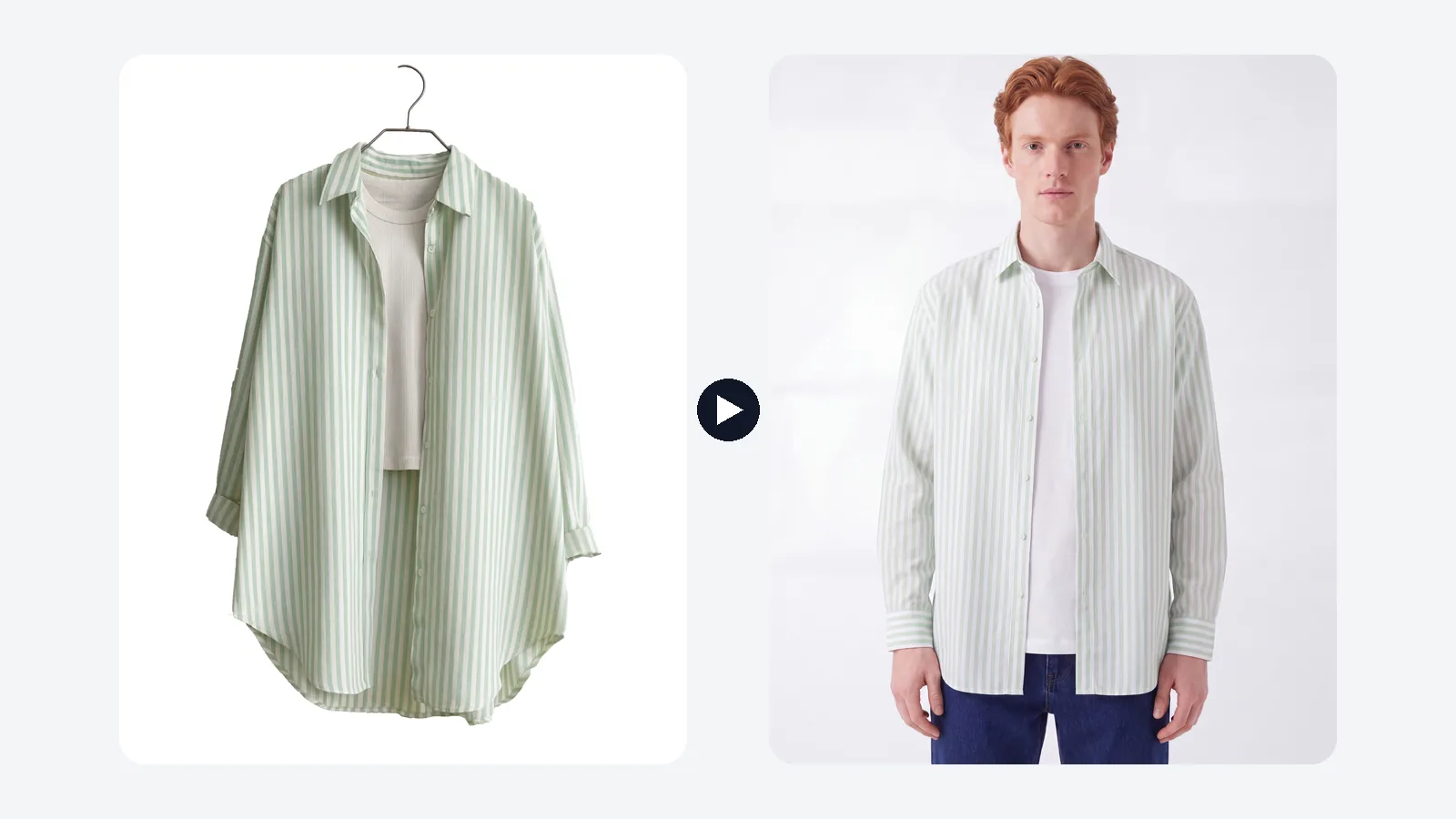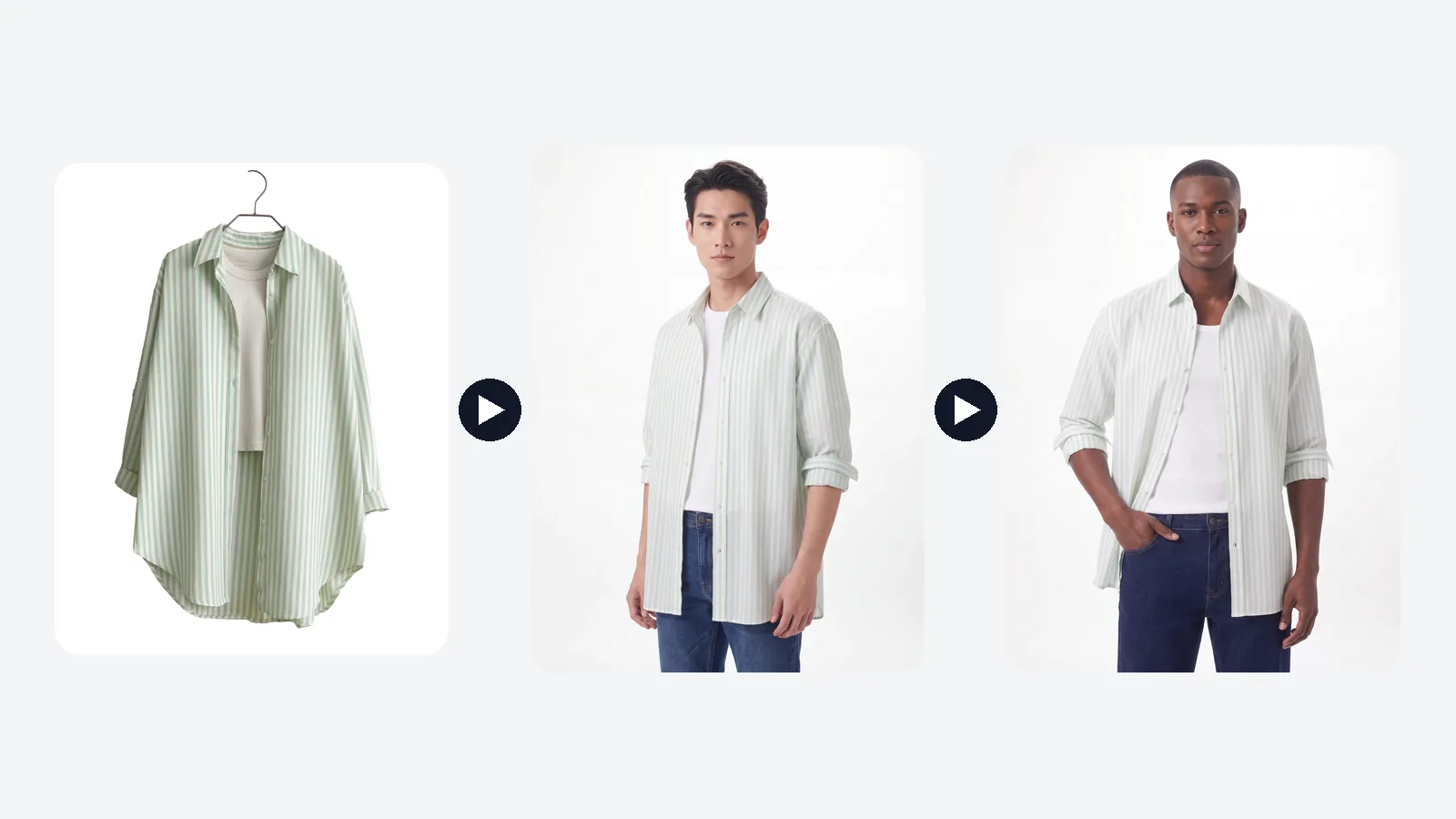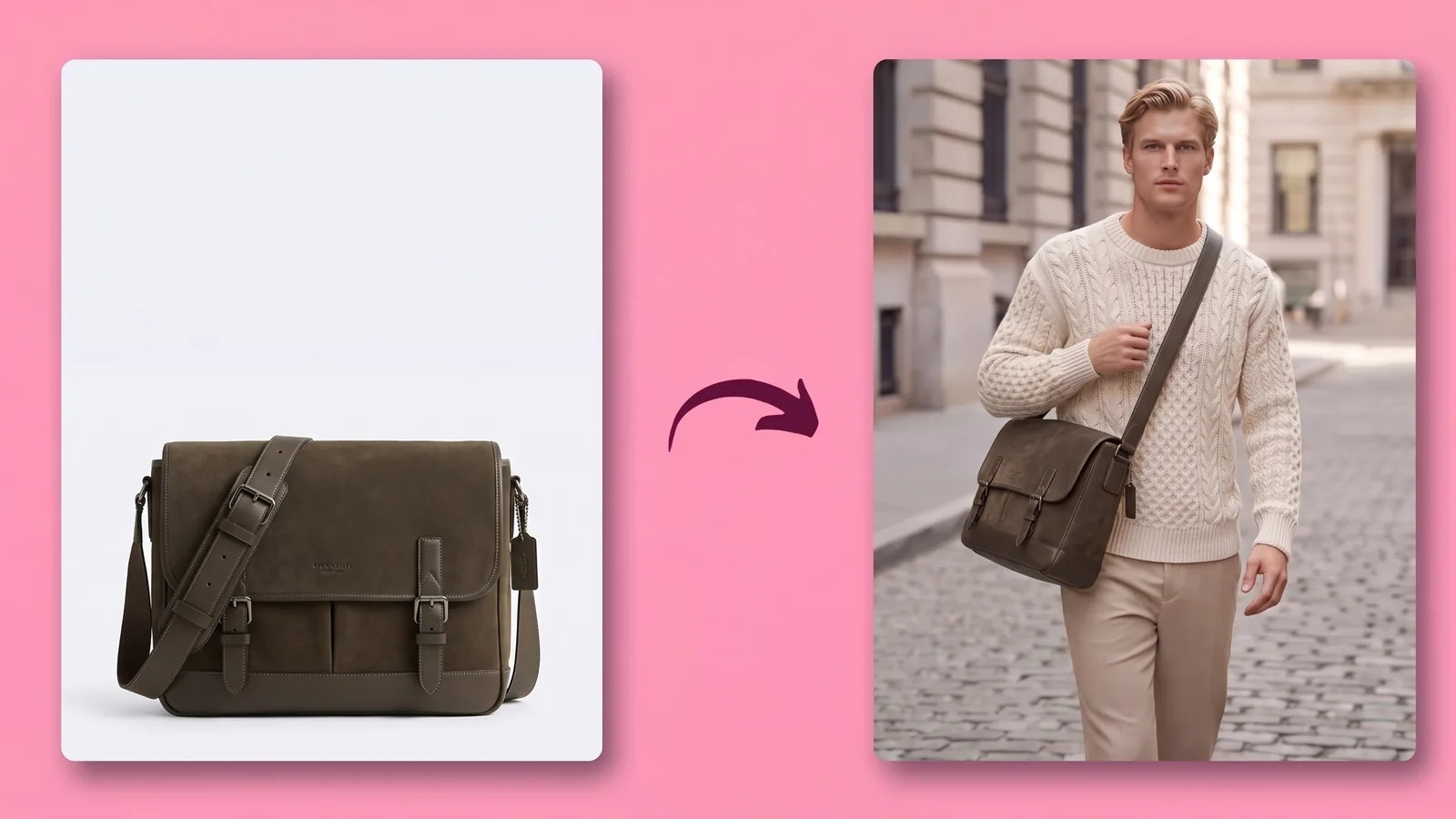
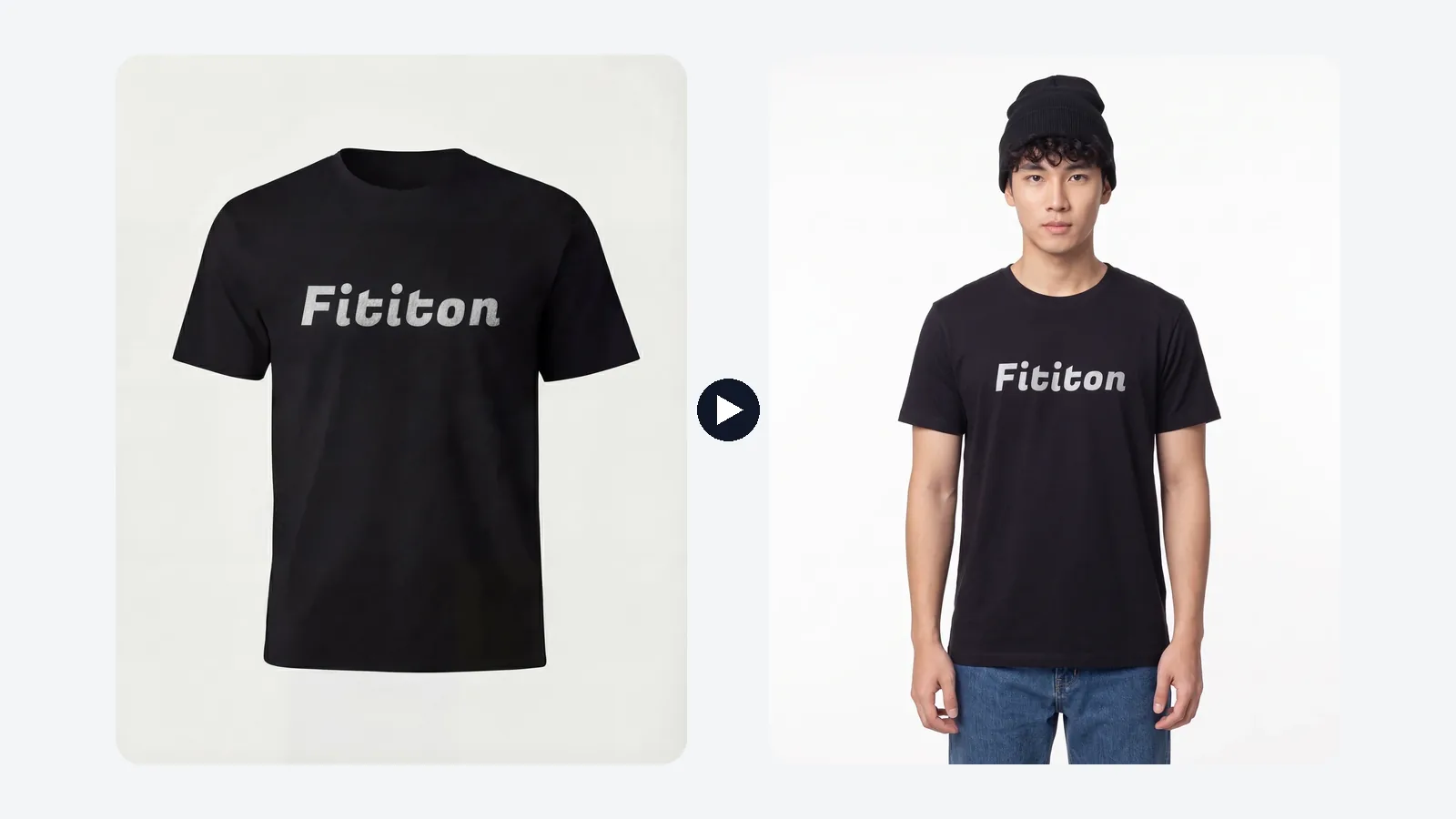
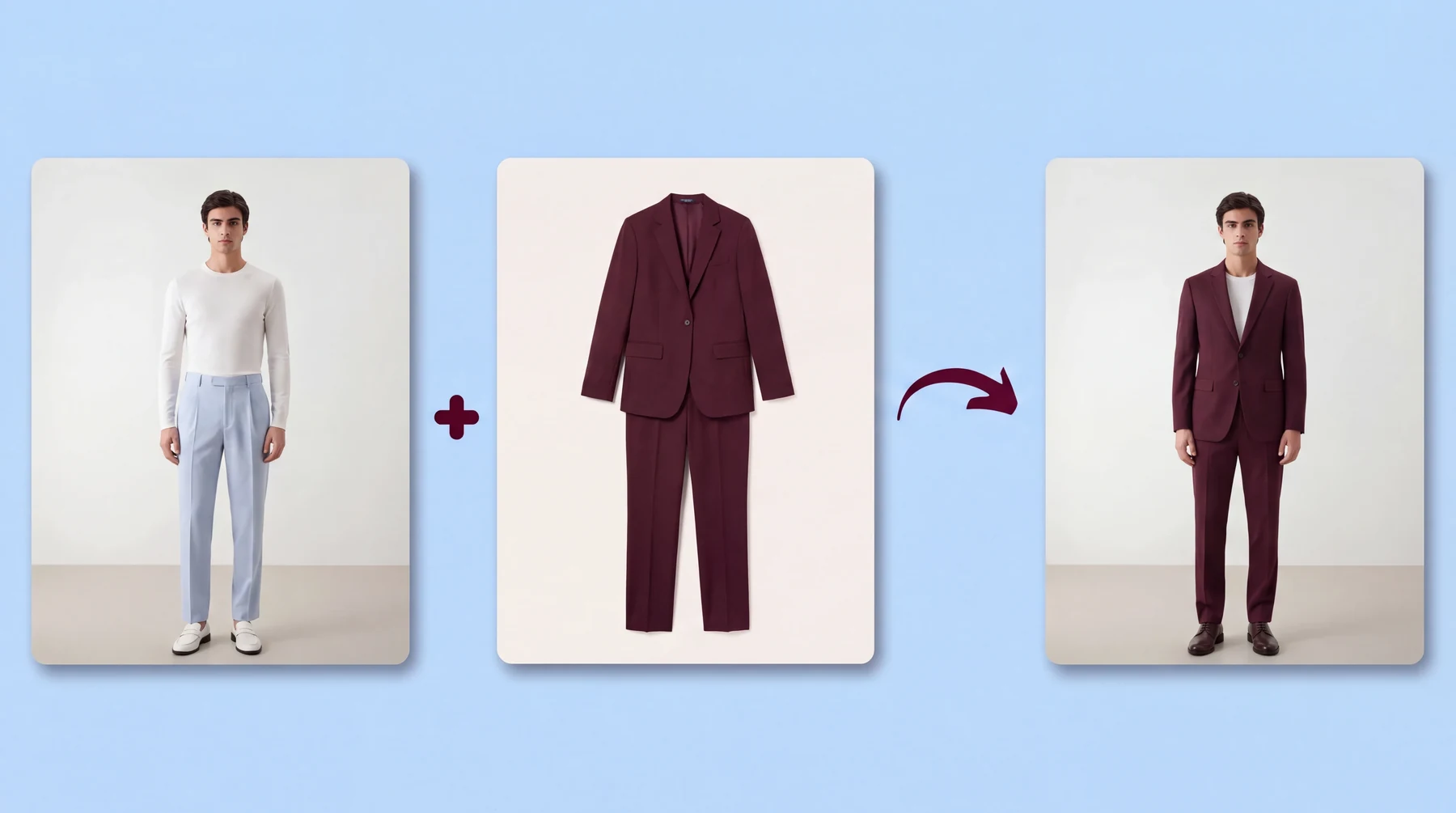
AI virtual try-on uses a generative model to show a garment on a person who never wore it. You give it a photo of a person and a photo of the garment. The model matches the garment to that body's pose and shape, then redraws the fabric, folds and lighting. It shows how clothes look, not what size fits.
Last updated: November 2026 · Prices checked November 2026
What is generative virtual try-on?
Generative virtual try-on is AI that creates a new, photorealistic image of a specific person wearing a specific garment, using only a photo of each. Unlike older 2D overlays or AR filters, it redraws the clothing pixel by pixel so it follows the person's pose, body shape and lighting.
"Generative" is the key word. The tool doesn't cut out the shirt and paste it on top of you. It paints a new image in which you are wearing it.
Here is what that means in practice:
| Question | Short answer |
|---|---|
| What goes in? | One photo of a person (real or AI model) and one photo of the garment |
| What comes out? | A new still image of that person wearing that garment |
| What does it get right? | Colour, print, silhouette and how the fabric falls in that pose |
| What can't it tell you? | Which size to order, or how the fabric feels |
| How long does it take? | Seconds. Fit It On's standard try-on has a measured median of 15.4 s (benchmarks) |
| What does it cost? | Roughly $0.07 to $0.13 per standard image on Fit It On (details below) |
How does AI virtual try-on for clothes actually work?
A try-on model reads two photos, works out where the new garment should sit on the body, and then generates a fresh image step by step. Most current tools use diffusion models, the same family of AI behind modern image generators.
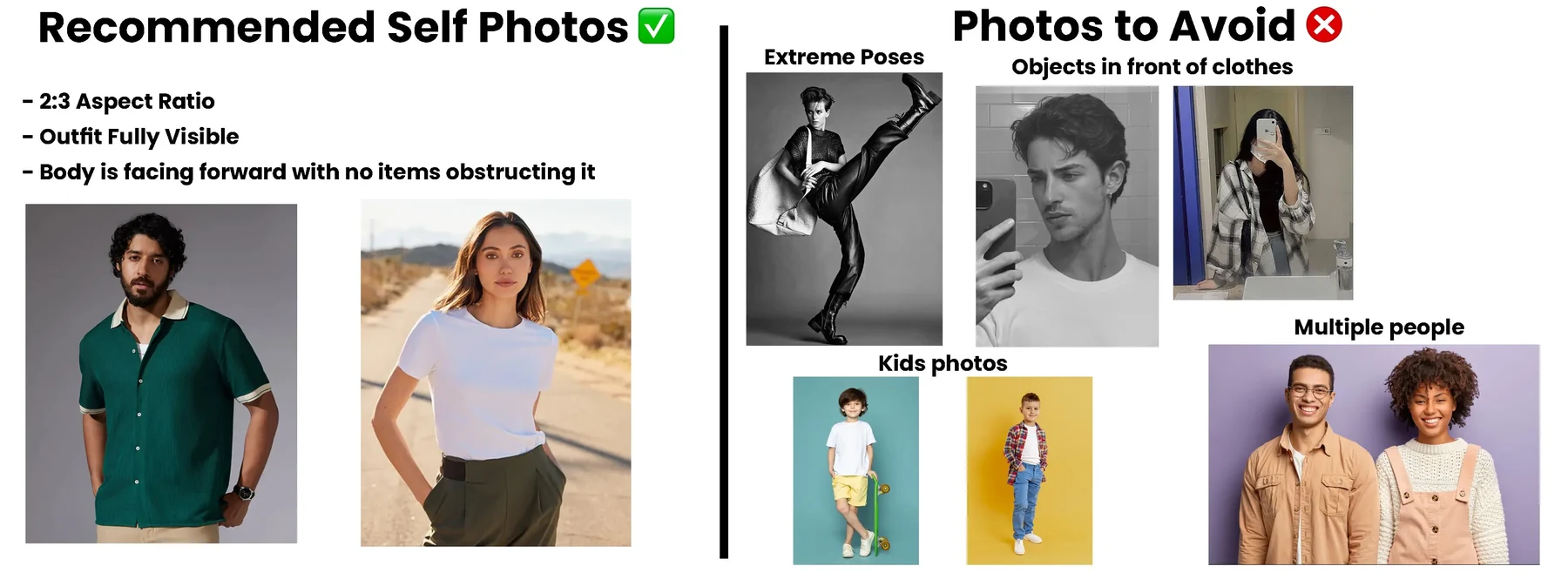
- You supply two photos. One shows the person, ideally full body, front-facing, with arms visible and a plain background. The other shows the garment, ideally flat or on a model, smooth and well lit.
- The model reads the person. It finds the pose, the body outline and the area the new garment will cover. Old clothing in that area gets masked out so it doesn't show through.
- The model reads the garment. It picks up shape, colour, print, collar, buttons and texture, so these can be carried into the result.
- It generates the new image. A diffusion model starts from random noise and refines it over many steps, guided by both photos at once. That is how it draws new folds, shadows and stretch for this body and pose.
- You check the result. Look at small details such as logos, text and hands. If something is off, a better input photo usually fixes it faster than re-running.
Google described the same idea when it launched try-on in Search: two images go in, each is processed by its own network, and the two share information while the image is generated (Google, 2023). Google also notes that its model generates the garment from scratch instead of cutting, pasting and warping a clothing image, which was the older approach.
Why the input photos matter so much
The model can only redraw what it can see. A cropped selfie, a crowd, or a bag across the body leaves it guessing, and guesses show up as odd hands or wrong lengths.
Shopper try-on vs merchant try-on: what's the difference?
The same technology answers two different questions. Shopper try-on answers "how would this look on me?" Merchant try-on answers "how does this look on a person?" and turns the answer into product photos.
| Shopper try-on | Merchant try-on | |
|---|---|---|
| Who supplies the person photo | The shopper (their own photo) | The brand (a model photo or an AI model) |
| Where it runs | A button or widget on the product page | A web studio the brand uses before publishing |
| Who sees the result | Only that shopper | Every visitor, in listings, ads and social posts |
| How it's paid for | The store pays for try-ons its shoppers run | The brand pays once per image it keeps |
| Main risk | Poor shopper photos give poor results; uploads need clear privacy rules | Images must match the real product, colour included |
| Fit It On example | Shopify try-on widget | Virtual try-on studio tool |
Shopper try-on
The shopper uploads a photo on the product page, the store's product image is used as the garment, and a private result appears in a few seconds. Fit It On's Shopify widget works this way: photo in, result shown next to an Add to cart button.
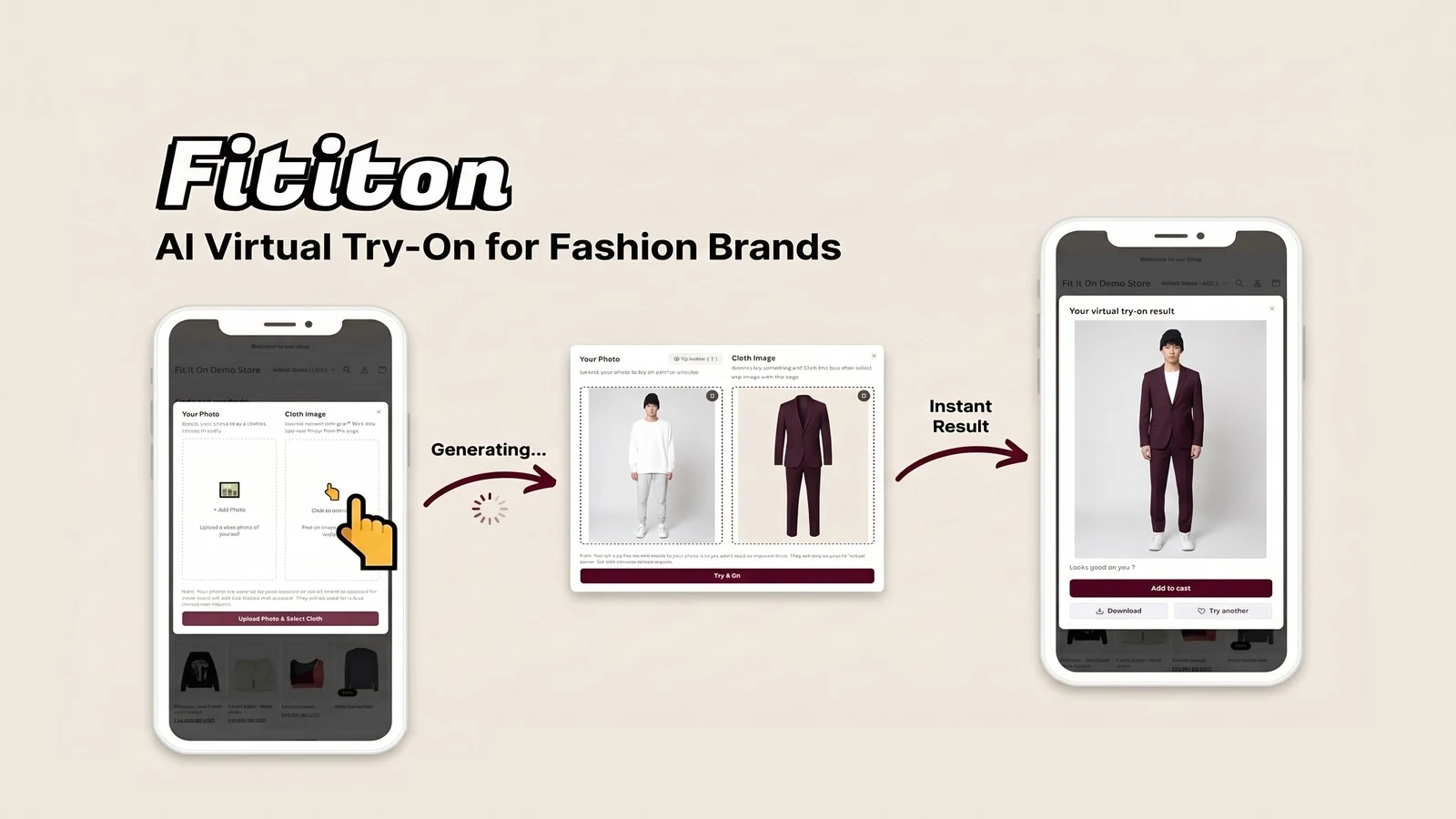
Large platforms use the same pattern. Google lets shoppers try apparel on a photo of themselves in Search (Google Shopping Help). ASOS launched try-on in its iOS app in February 2026 with AIUTA, letting shoppers use their own photo or an AI model that resembles them (ASOS, 2026).
Merchant try-on
The brand picks a model photo, adds the garment, and keeps the best result as a product image. Because a new image costs cents, you can show the same item on several bodies and skin tones instead of one.
Merchant try-on sits next to related tools. Product-to-model starts from a flat-lay or packshot without any person photo. Want to know which vendors do which? Our comparison of virtual try-on tools, APIs and open models covers that, including which models you can use commercially.
How accurate is AI virtual try-on?
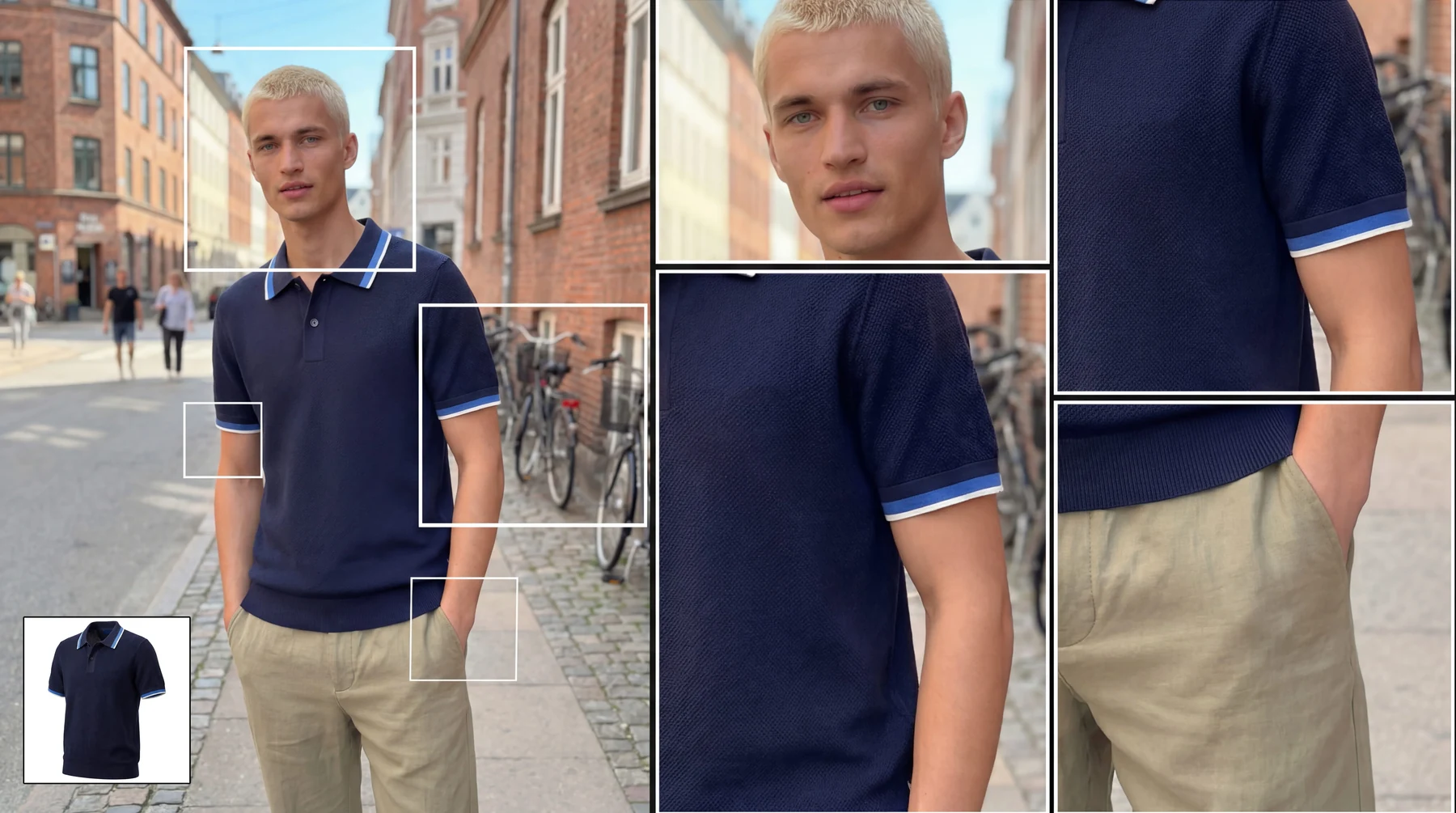
It is accurate about appearance and unreliable about fit. Colour, print and overall silhouette usually carry over well. Exact length, tightness and size do not, because the model has no measurements of the person or the garment.
Google says the same about its own tool: it "does not determine or guarantee the actual fit of the garment" (Google Shopping Help).
Where it usually goes wrong
- Small text and logos: tiny lettering can come out blurred or misspelled.
- Busy patterns: fine checks and complex prints may shift or simplify.
- Hidden body parts: crossed arms, bags or hands in front of the body force the model to guess.
- Baggy clothes in the person photo: the model can't see the body shape underneath. Google advises fitted clothing for this reason.
- Categories outside clothing: most tools focus on tops, bottoms and dresses. Google's tool, for example, doesn't support lingerie, swimwear or accessories.
Because it shows looks, not size, try-on works best next to a size guide or size recommender. Our guide to which fitting tools actually reduce returns compares the options and the evidence behind each.
What does AI virtual try-on cost?
For merchant images, expect a few cents to a few dimes per image. For shopper try-on, stores usually pay per try-on through a plan.
On Fit It On, a try-on costs 1, 2 or 3 credits (Standard, High or Hyper accuracy). Plans run from $4.99/month for 40 credits to $69/month for 1,000 credits, so a Standard try-on works out to about $0.07 to $0.13. See pricing for every plan.
Shopper widgets are billed differently, by the number of try-ons your shoppers run each month. Check the Shopify app page for current plans. For other vendors' per-image prices and API costs, see the 2026 try-on tool roundup.
Honest limitation: Fit It On is built for apparel. It isn't the right tool for jewellery, glasses or make-up try-on, where AR tools do better.
Related guides
Frequently asked questions
What is generative virtual try-on?
Generative virtual try-on is AI that creates a new image of a person wearing a garment from one photo of each. It redraws the clothing to follow the person's pose, body shape and lighting, instead of pasting a flat image on top. Most tools today use diffusion models to do this.
Can AI virtual try-on tell me if clothes will fit?
No. It shows how a garment looks on a body, not whether a size will fit, because it doesn't know your measurements or the garment's. Use the size chart, reviews or a size recommender to choose the size.
Is AI try-on the same as AR try-on?
No. AR try-on places a 3D object over a live camera view, which works well for glasses, shoes and make-up. Generative try-on creates a new still photo, which handles fabric folds and drape better but isn't live.
How long does an AI try-on take?
Usually seconds. On Fit It On, a Standard try-on has a measured median of 15.4 seconds on production traffic. Higher accuracy levels take longer and cost more credits.
What photo works best for virtual try-on?
A full-body, front-facing photo with arms visible, good light and a plain background. Wear fitted clothes and keep bags, scarves and other people out of the frame. For the garment, use a smooth, well-lit flat-lay or on-model shot.
Does "try it on" AI work for shoes and accessories?
It depends on the tool. Most generative try-on tools, Fit It On included, focus on clothing. Glasses, jewellery and make-up are usually better served by AR try-on.