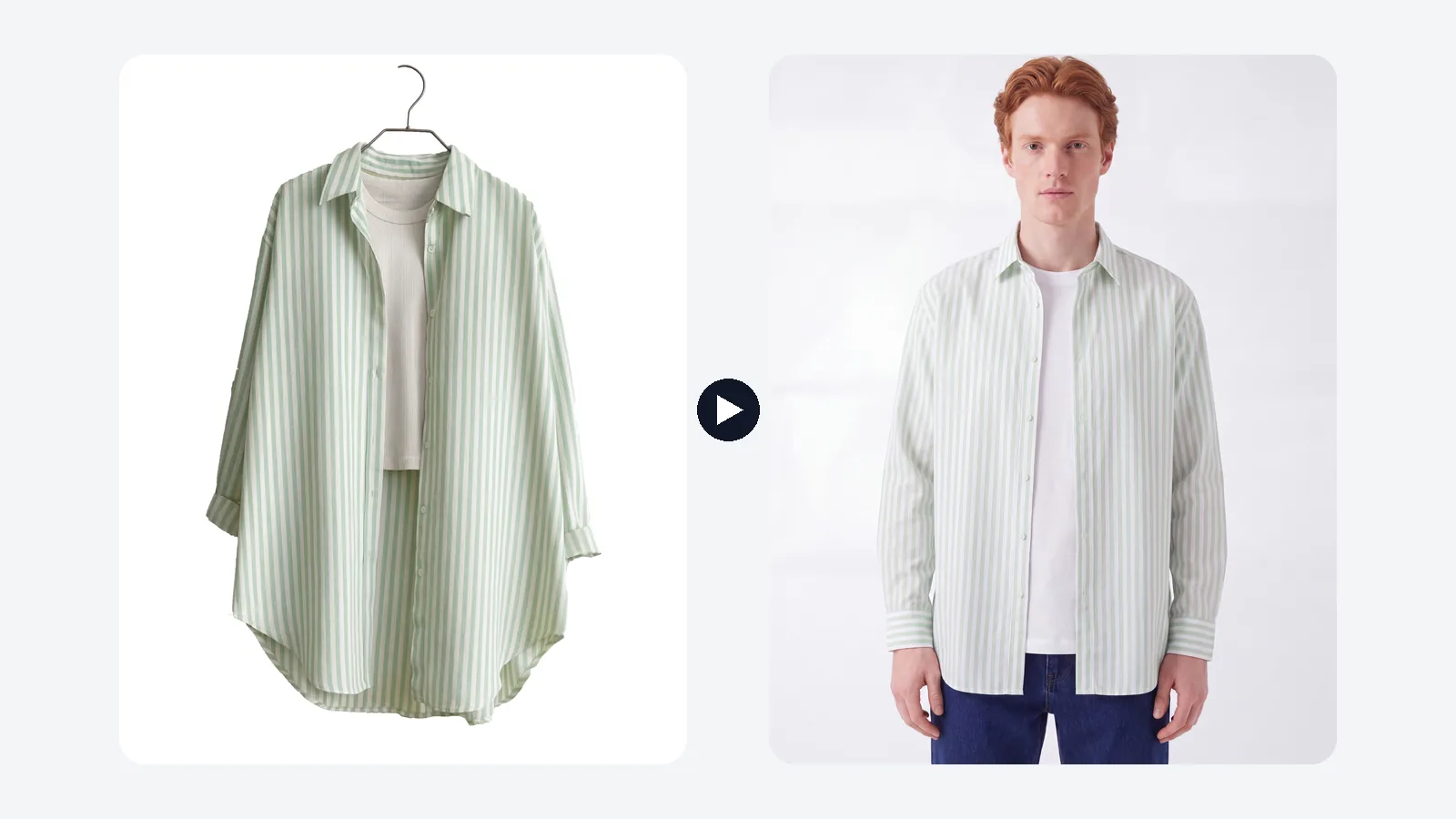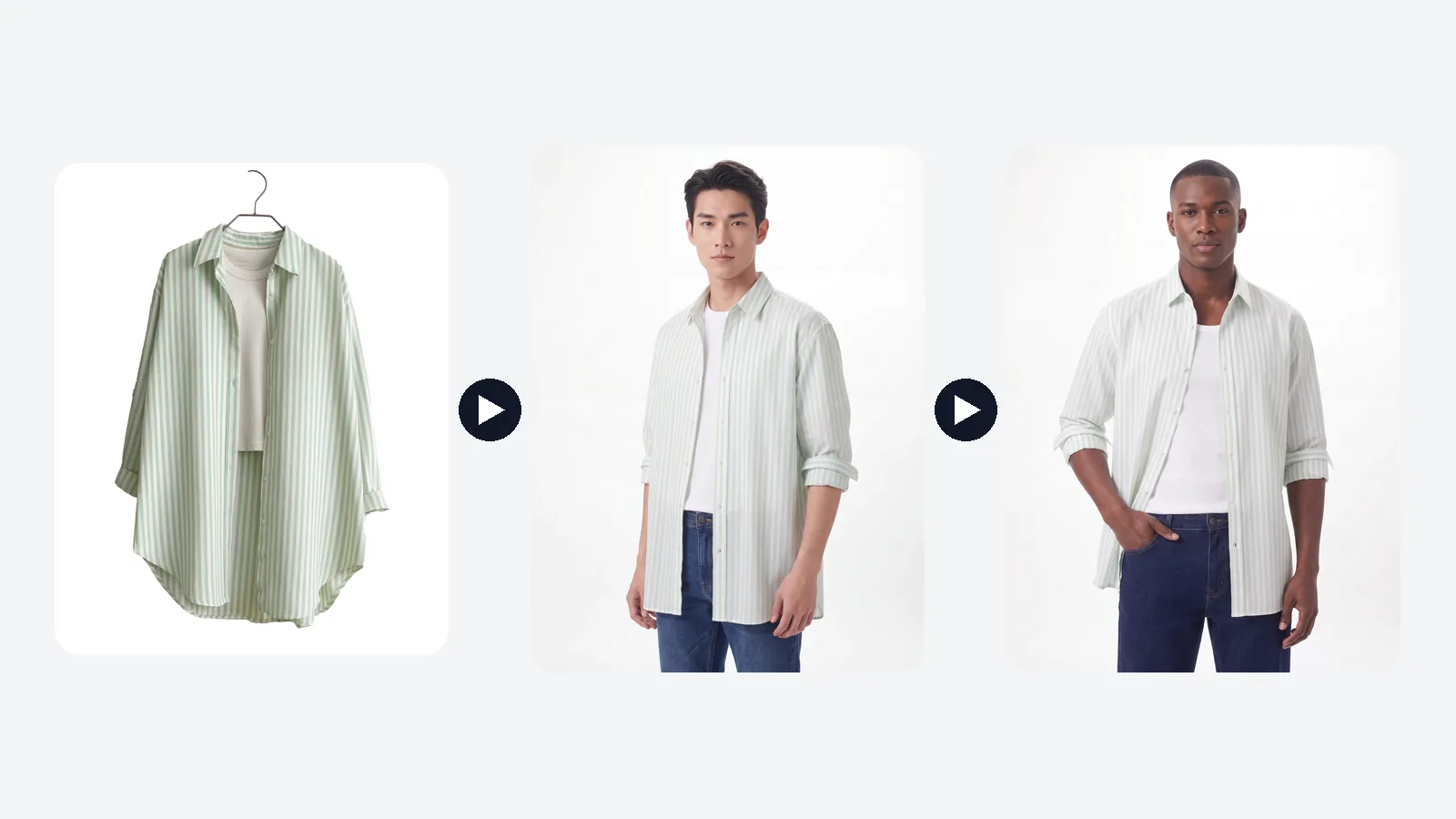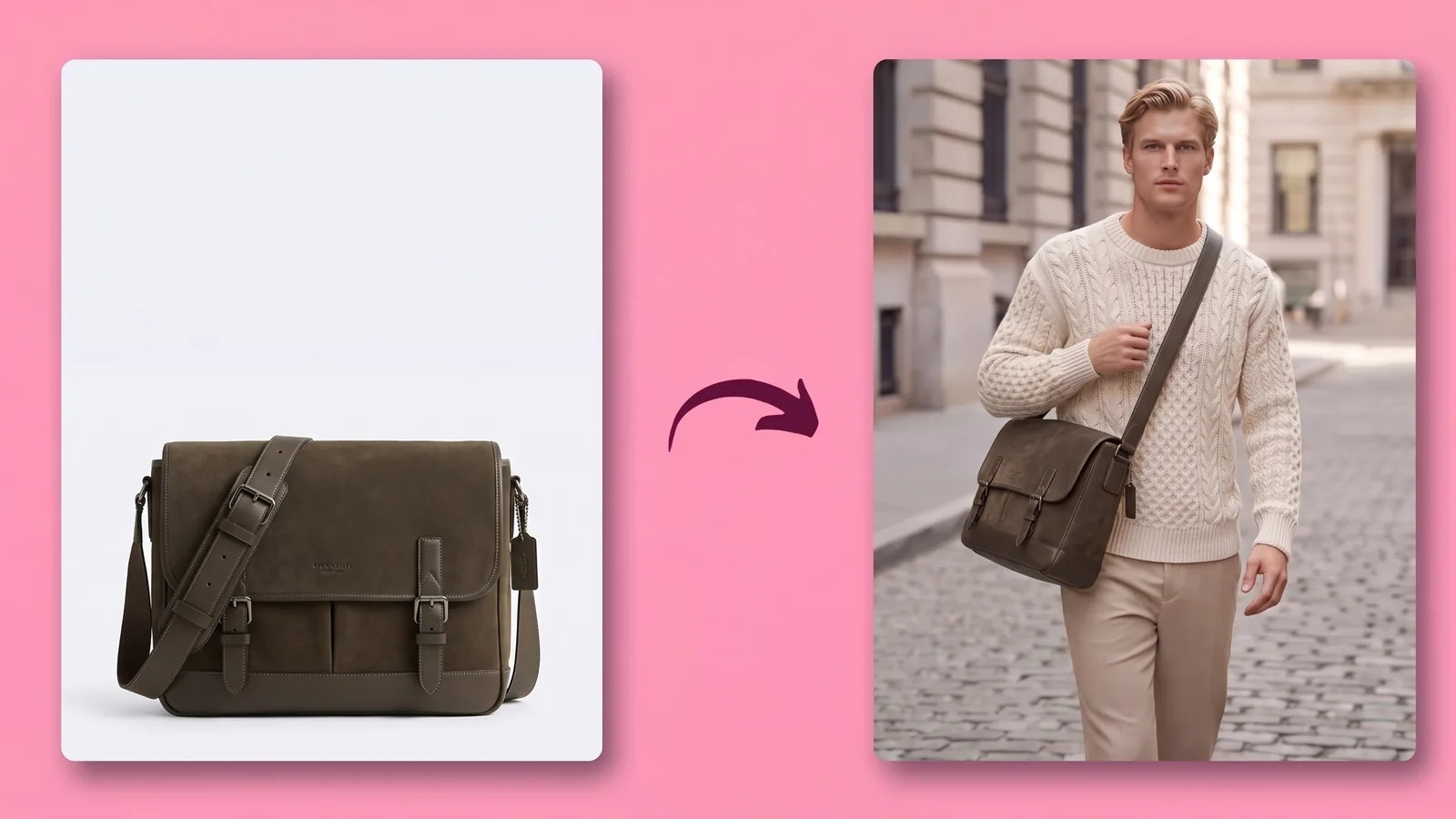
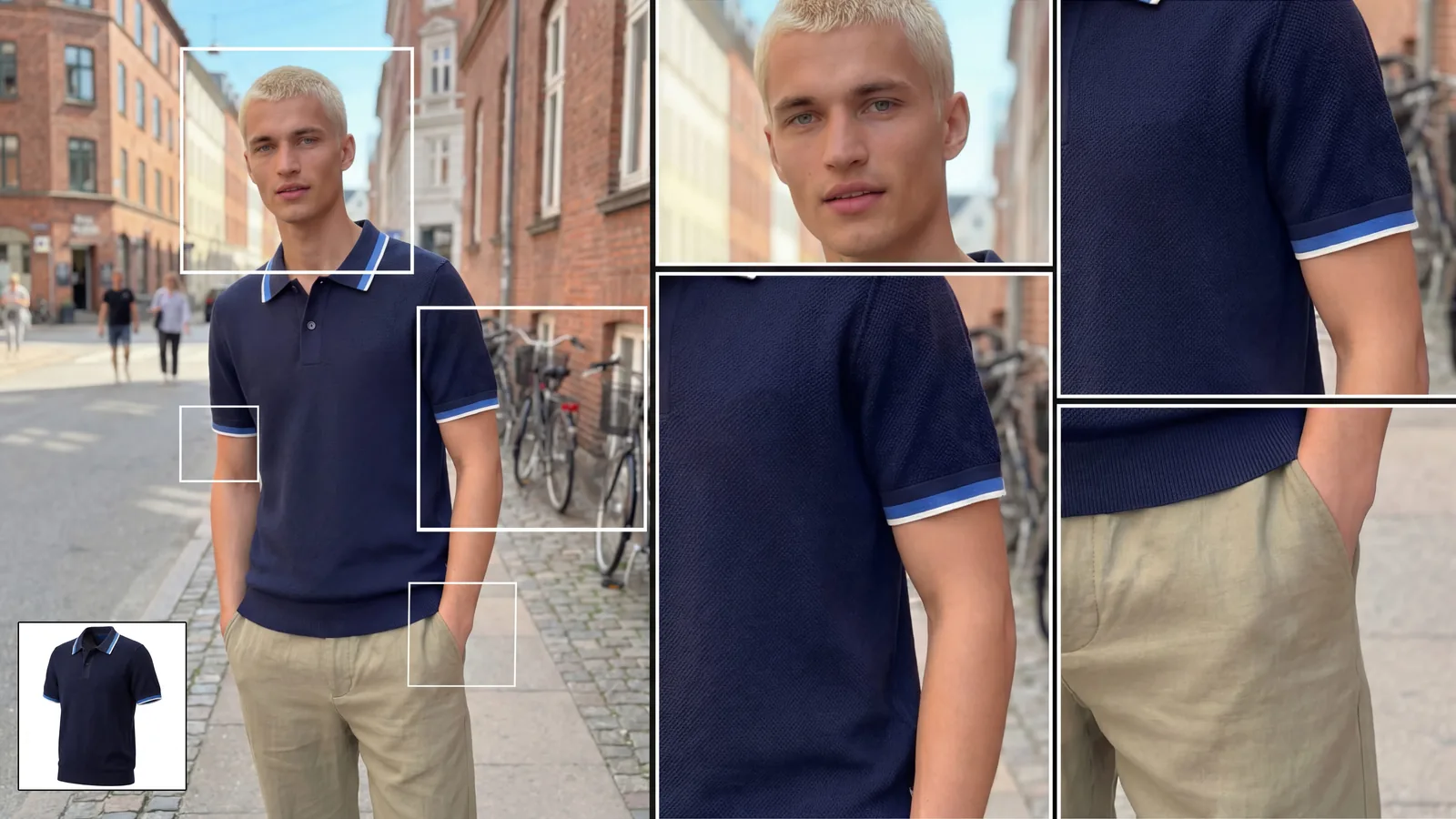
AI fashion photography uses image models to put your garments on realistic AI models, change poses, angles and backgrounds, and turn stills into short videos, starting from a product photo instead of a shoot. It is fast and low-cost for catalog images, but it still struggles with hands, small text, sheer fabrics and exact fit.
Last updated: November 2026
This page is the overview. Each technique below gets a short summary and a link to a full guide, so you can jump to the one you need.
Which AI fashion photography technique do I need?
Pick by what you already have and what you need to publish. Most stores start with product-to-model and add the others later.
| Technique | Input you need | Output | Best for | Deep guide |
|---|---|---|---|---|
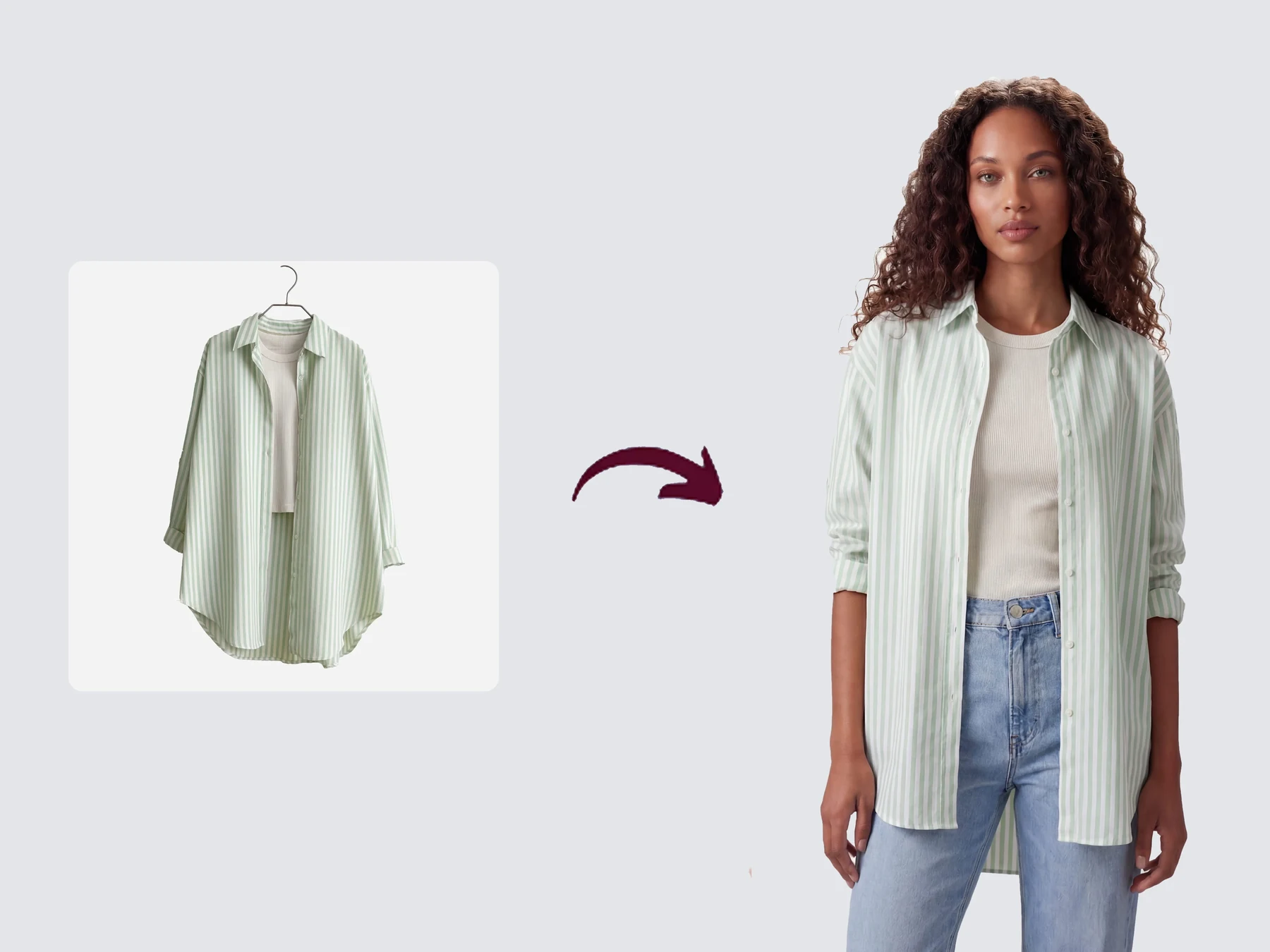
| Product-to-model | Flat-lay, packshot or hanger photo | The garment on an AI model | Catalog images when you have no model shots | Flat-lay to on-model |
| Full AI product shoot | Product photos plus a chosen model, pose and scene | Studio and lifestyle sets | Replacing a whole photoshoot | Photos without a photoshoot |
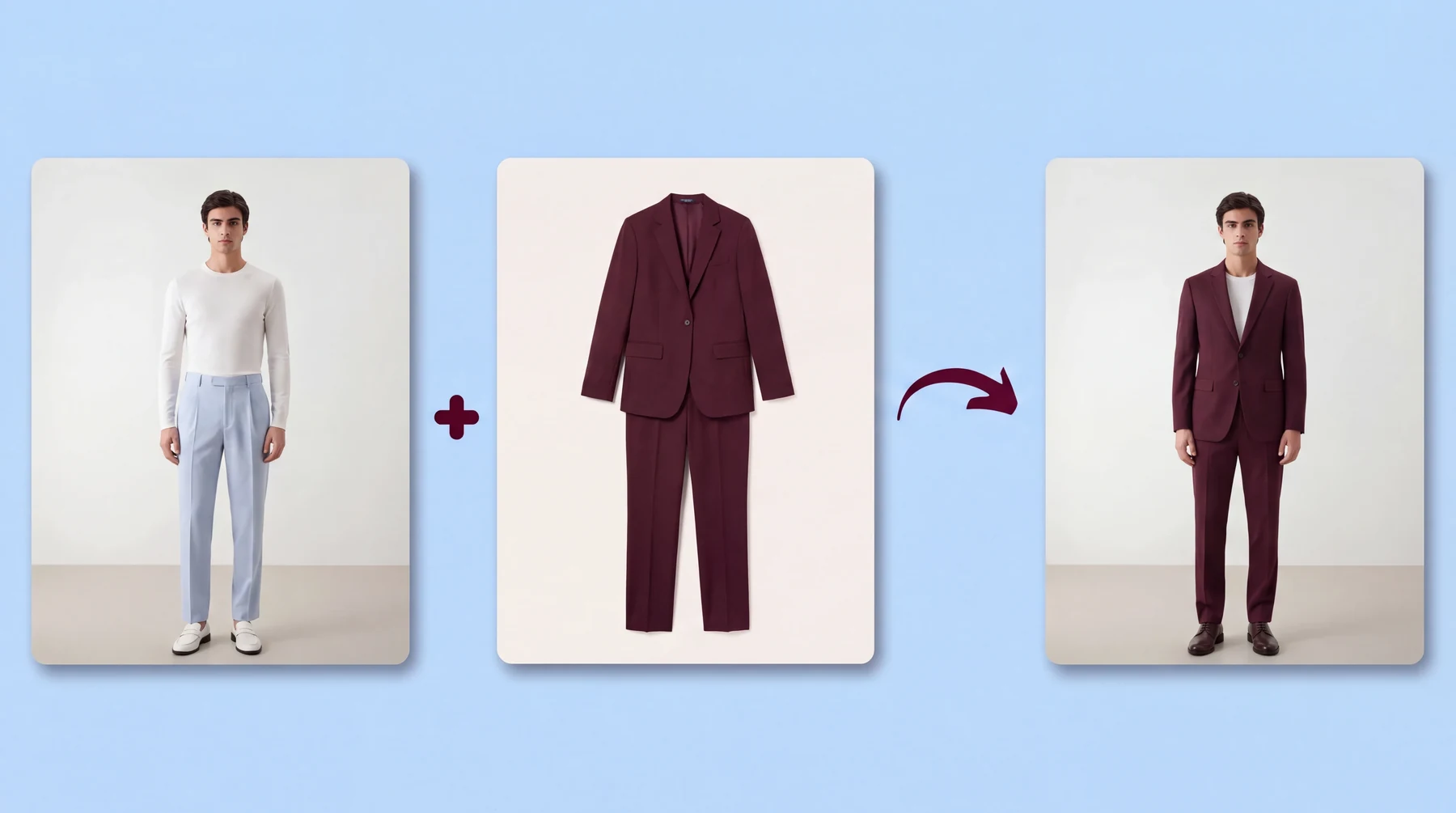
| Virtual try-on | A person photo and a garment photo | That person wearing the garment | Shoppers previewing items; dressing your own models | How virtual try-on works |
| AI models | A preset model, or face and pose references | A reusable model you can keep across shots | A consistent brand look without booking models | AI vs real models |
| Image-to-video | One on-model photo | A 3 to 15 second clip | Product pages, Reels, TikTok and ads | AI image-to-video |
How does each technique work?
Each one starts from an image you already have and changes one thing: who wears it, how they stand, where they are, or whether they move.
Product-to-model
You upload a flat-lay, packshot or hanger photo, choose a model, and get the garment on that model. Read the flat-lay to on-model tutorial for input tips and a step-by-step walkthrough.
A full shoot without a photoshoot
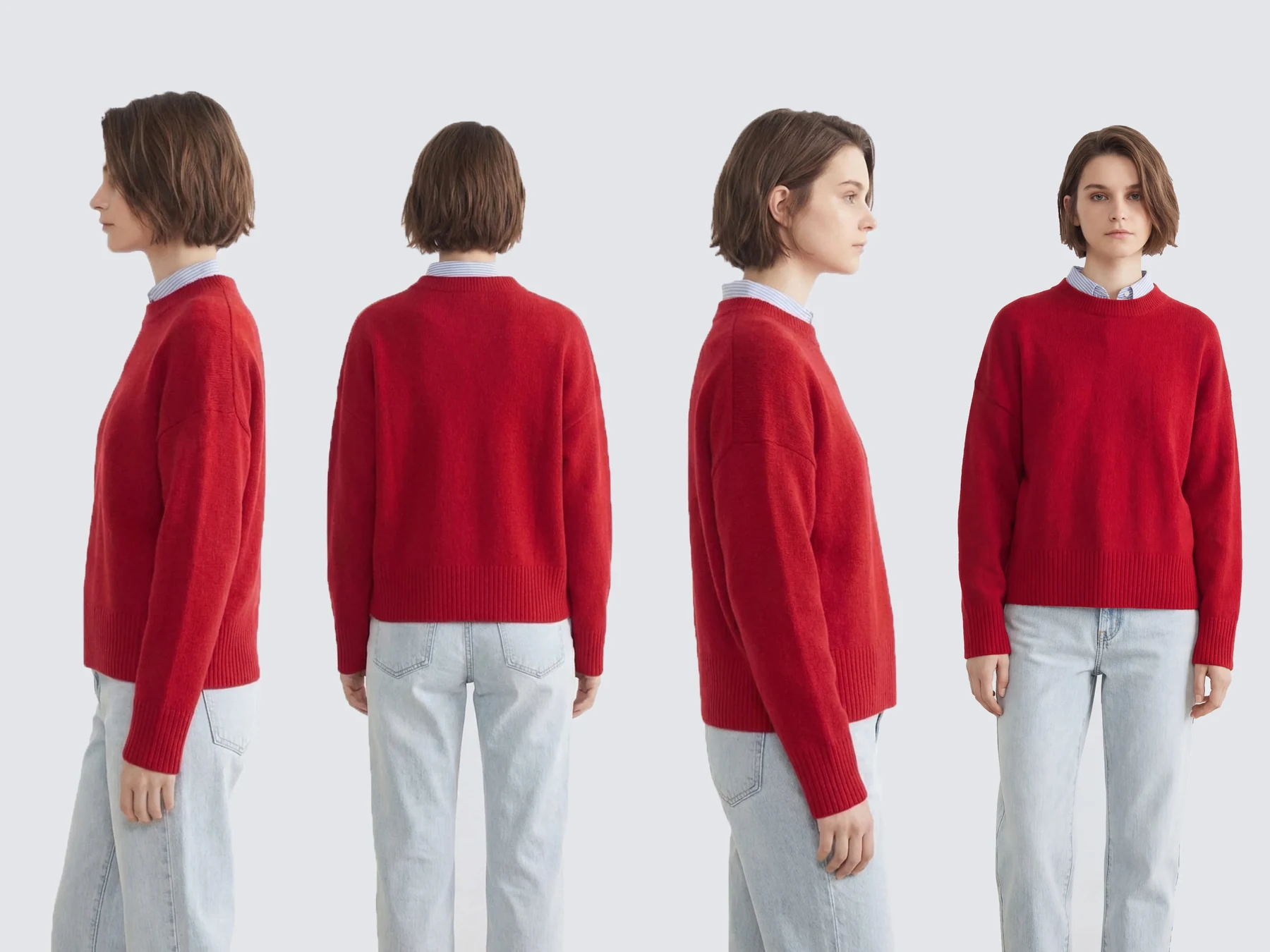
Product-to-model is one step; a full set also needs extra poses, back and side angles, and lifestyle backgrounds. The guide to product photos without a photoshoot covers the whole workflow, including pose control and generated angles.
Virtual try-on
Try-on puts a garment onto a specific person's photo, keeping their face, body and pose. How AI virtual try-on works explains the technology and how shoppers use it on product pages.
AI models
You can use preset AI models or create your own from face and pose references, then keep the same model across a collection. AI fashion models vs real models compares cost, speed and quality, including when a real model is still the better choice.
Image-to-video
Image-to-video animates one on-model photo into a short clip with a turn, a weight shift or fabric movement. The image-to-video guide shows real clips, credit costs by length, and what still looks fake.
How do I get realistic fit and drape in AI on-model images?
Start from a clean, complete garment photo, pick a model and pose that suit the garment, and say how it should fit. Most bad drape comes from a poor input or a pose that hides the garment.
- Steam or iron first. The AI copies creases. Wrinkles in the input often turn into odd folds on the model.
- Show the whole garment. Shoot it straight on, evenly lit, with a little space around the edges. Cropped sleeves and hems get guessed.
- Describe the fit. Words like "oversized", "cropped at the waist", "relaxed straight leg" or "ankle length" help the model place hems and volume.
- Match model and garment. A size range or silhouette looks more believable on a model with a matching body type.
- Use a pose that shows the garment. Arms slightly away from the body and a straight stance show the cut. Crossed arms and deep sits crush the fabric.
- Use a higher quality setting for detail. In Fit It On, try-on has Standard, High and Hyper accuracy (1, 2 or 3 credits), and 2K or 4K output keeps knit and weave texture sharper.
- Check against the real item. Compare sleeve length, hem length and how the waist sits with your sample or size chart before you publish.
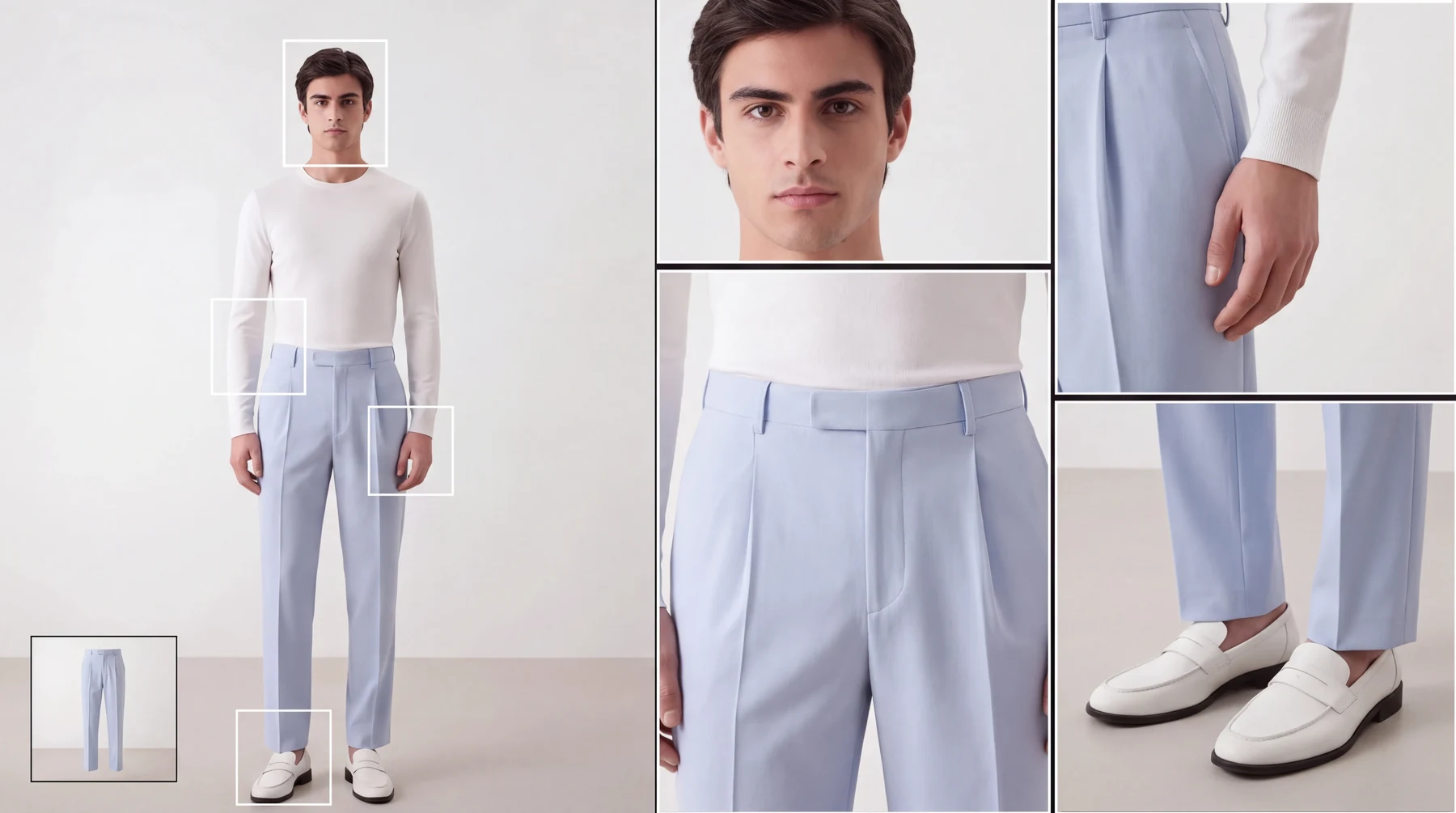
AI shows a believable fit, not your exact size grading. It does not know how your medium differs from your large, so keep measurements and size charts on the product page.
What does AI fashion photography still get wrong?
The usual problems are hands, small text, sheer or very detailed fabrics, and logos or prints that drift. Check every image at full size before it goes live.
- Hands: extra, merged or bent fingers, especially near pockets and bags.
- Small text and labels: care labels, small print and lettering on garments can come out garbled.
- Logo and print drift: logos, stripes and repeating prints can shift, change size or break at seams.
- Sheer, lace and sequins: see-through layers and fine detail often get flattened or filled in.
- Exact colour: shades can move slightly, so compare against the real product under good light.
- Parts it never saw: the back or inside of a garment is a guess unless you upload a photo of it.
- Exact fit for a given size: as above, it shows a plausible fit, not a measured one.
When a detail matters to the sale, such as a logo, a print placement or a sheer panel, fix the input or keep a real photo of that detail in the gallery.
How much does AI fashion photography cost?
With Fit It On, paid plans start at $4.99/month for 40 credits, a standard try-on costs 1 credit, and video and custom models need the Pro or Agency plan; see pricing for every plan.
Related guides
Frequently asked questions
What is AI-powered fashion photography?
It is the use of image-generation models to create on-model, lifestyle and video content for clothing from product photos. Instead of booking a studio and models, you upload a garment image and generate the shots. It works best for catalog and social images where speed and volume matter.
What is virtual model photography in fashion?
Virtual model photography means showing clothes on AI-generated models instead of real ones. You can use preset models or build your own and keep the same model across a whole collection. Check results closely for hands, prints and fit before you publish.
What is the best AI tool for fashion product photography?
It depends on your input and output. If you have flat-lays and need on-model images, look for a product-to-model tool; if you need shoppers to see clothes on themselves, look for virtual try-on. Our roundup of AI model photo generators compares several tools side by side.
Can AI photos replace a fashion photoshoot?
For everyday catalog, marketplace and social images, often yes. For campaigns with a specific location, a celebrity or a complex styling concept, a real shoot is still the safer choice. A practical mix is AI for volume and a small real shoot for hero images.
Do I need a good product photo to start?
Yes. A sharp, evenly lit photo of the whole garment, steamed and shot straight on, gives the most accurate result. Creases, cropped edges and busy backgrounds in the input tend to show up in the output.